

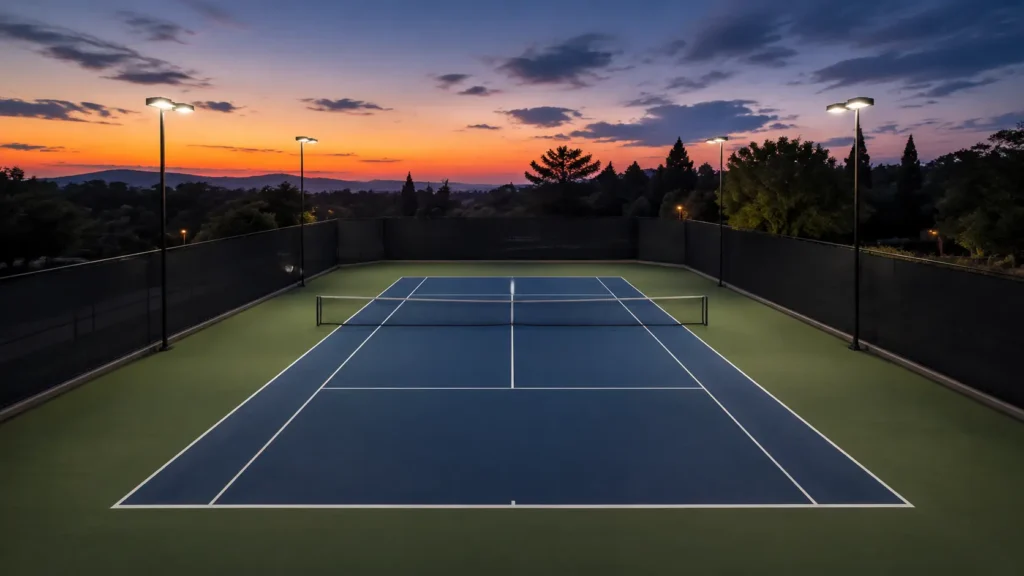
The useful tennis recording is the one that keeps the whole point readable, not the one that follows every swing. A court stretches away from the camera, the ball crosses the net quickly, and play alternates between near and far baselines. A stable view from behind the baseline preserves that geometry.
That sounds simple until the phone sits at the side, the near player blocks the far side, or the frame is tightened until a deep ball disappears. This guide sets up a phone, explains what changes between singles and doubles, and shows what a fixed court camera changes when nobody wants to leave the match to film.
The Point Is Already Recorded
At a court with VISU Replay, the cameras run continuously. You press the button after the point and the clip is already there, cut and ready, without anyone leaving the match to film.
Why a Tennis Match Is Hard to Film From the Side
A side view looks convenient because the fence, bench, or walkway is often easiest to reach there. It is also where a full match becomes hardest to read. The baseline-to-baseline distance is compressed into a narrow slice of the image. The net dominates the middle, and the players overlap whenever they move along similar lines.
The ball creates the opposite problem. It is small in the wide frame needed for both ends, yet it moves too far and too quickly for a person beside the court to keep reframing smoothly. A side operator tends to react after the ball has already changed direction. The result is a picture that chases the rally instead of showing it.
From behind a baseline, depth becomes useful. The near player occupies the lower part of the frame, the far player stays beyond the net, and the ball travels along an axis the viewer can understand. You can see whether a shot lands deep, pulls someone wide, or brings a player forward without asking the camera to move.
This is also the clearest difference from padel. Tennis has no glass walls to contain the ball or provide a ready-made shooting position. The open run behind the baseline is part of the frame, and the camera must leave room for it.
Where to Put the Camera for a Tennis Match
Start behind the baseline, aligned as closely as practical with the center mark, and raise the lens above the heads of people near the back fence. Centering matters because it keeps both sidelines at comparable angles. Height matters because it separates the near player from the net and lets the far service box remain visible.
The official dimensions explain why a casual side position struggles. The tennis rules published by the ITF set the court at 78 feet, or 23.77 m, long, 27 feet, or 8.23 m, wide for singles, and 36 feet, or 10.97 m, wide for doubles. From the side, the longest dimension runs across the image. From the baseline, that length becomes depth, while the relevant width fits naturally across a horizontal frame.
Do not treat “behind the baseline” as permission to put equipment in a player's run. Use the space outside the active area, secure the support, and keep gates and walkways clear. If there is a safe elevated platform or purpose-built mount, it usually gives a cleaner separation than a low position against the fence.
Set the frame before warm-up ends. Keep the full far baseline visible, include the doubles alleys if doubles will be played, and leave a little space behind the near player for deep returns. Once that composition works, lock it. A match view should not zoom every time someone approaches the net.
Phone on a Tripod: What You Get and What You Lose
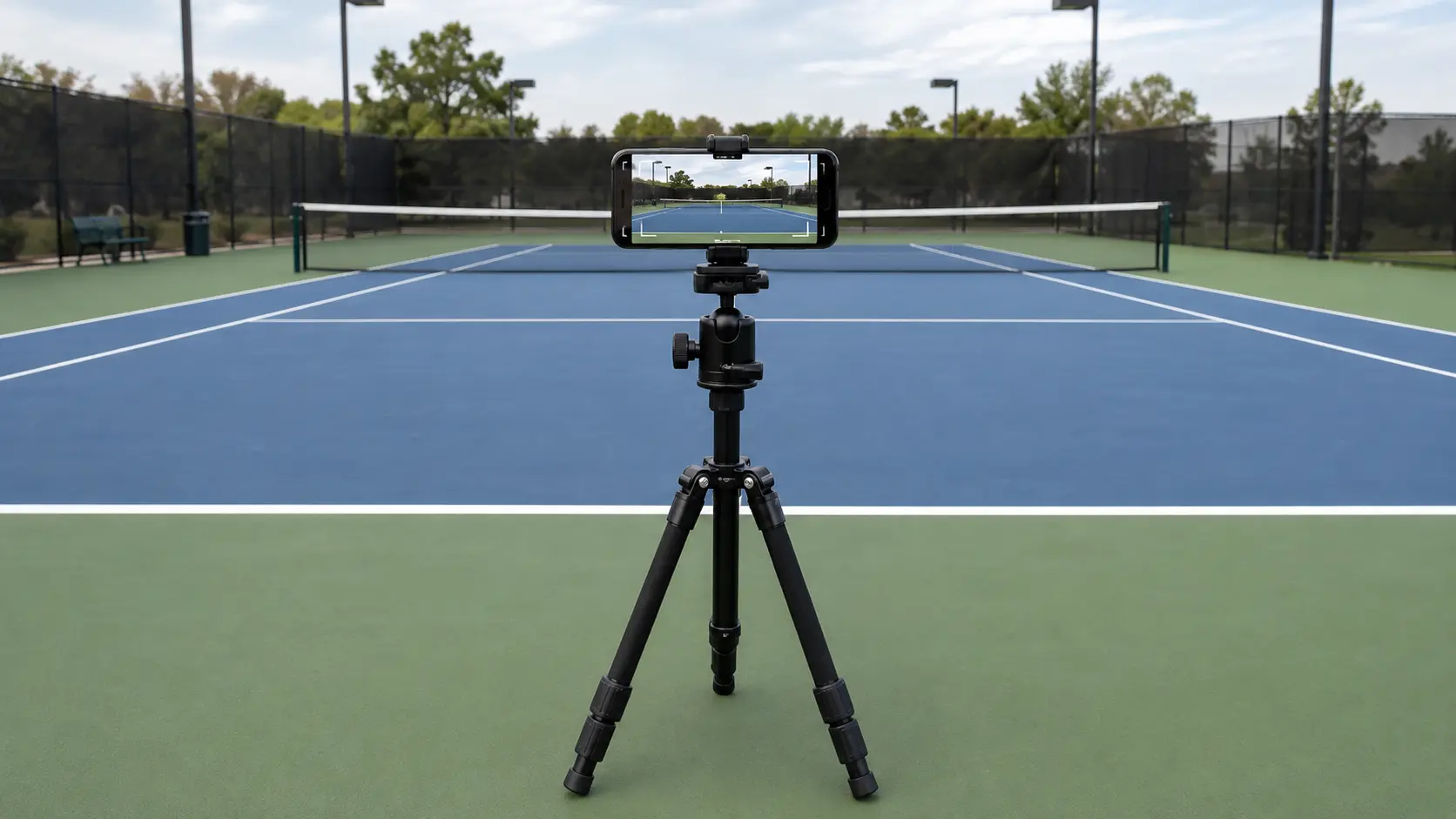
A phone on a tripod can deliver a useful full-match record when the frame is wide, stable, and left alone. You get a familiar device, quick setup, and a file that is immediately available after play. You can check framing during warm-up and start recording without a camera operator.
The compromise is attention. Someone must arrive early, choose a safe position, start the recording, confirm that it is still running, and collect the equipment afterward. A long match tests battery, available storage, and heat management. Direct sun can also make the screen hard to check and can push automatic exposure toward bright sky instead of the court.
Zoom is rarely the cure. Digital zoom makes the far player larger by discarding the edges you need for wide serves, doubles alleys, and movement behind the baseline. If the ball is difficult to see, improve height, centering, light direction, and stability before tightening the picture.
The practical choice between equipment you bring and equipment installed at the venue is covered in the tripod versus fixed camera guide. For this match, the simple test is whether you want a complete court record or a close study of one stroke. One static phone cannot optimize both at once.
Find Out If Your Club Has It
VISU Replay only exists where it has been installed, so the useful first question is whether the club where you already play has cameras.
Singles vs Doubles: What Changes in the Frame
Singles lets you frame for the narrower sidelines. That gives each player more pixels without losing legal court area. Keep the space behind both baselines, because a defensive player may retreat farther than the painted rectangle suggests. The center position still matters: shifting toward one sideline makes the opposite corner look shallower and harder to judge.
Doubles changes width and traffic. The alleys become part of play, partners divide the near and far halves, and a player at the net can block the baseline partner from a low camera. Widen first, then raise the camera if people still overlap. Do not solve the overlap by moving to the side, because that trades a brief obstruction for a distorted view of every rally.
Run the warm-up as a framing test. Watch a serve from each side, a return from the far baseline, and a player moving toward the net. If a racket or player leaves the edge, widen before the match begins. If everyone fits but the ball vanishes into bright sky, tilt down slightly while keeping the full playing area.
Fixed Camera and Replay Button: Nobody Leaves the Court
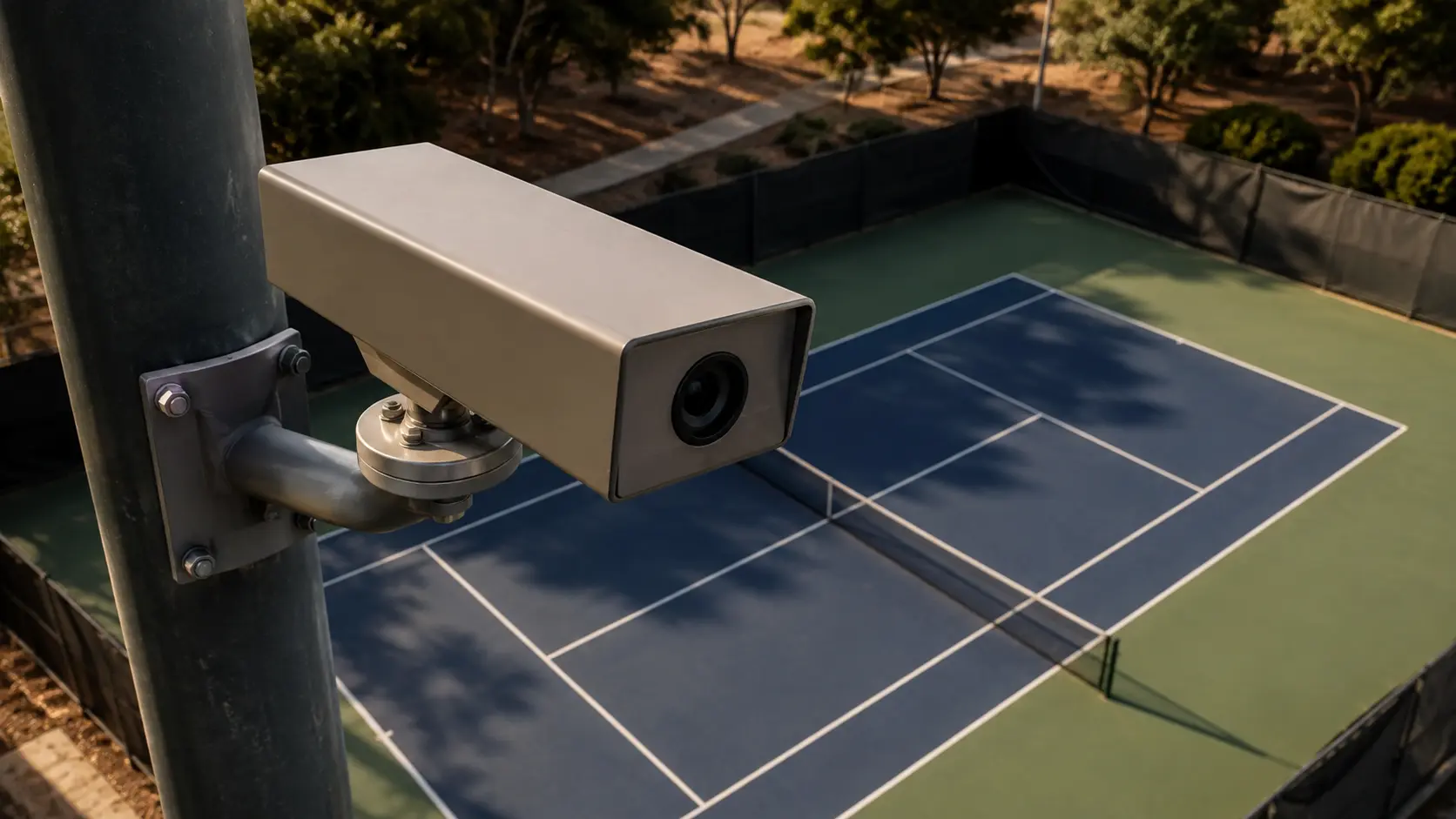
A fixed camera changes responsibility before it changes image quality. The player no longer carries a tripod through the gate, searches for a safe patch behind the fence, or asks someone to watch a phone. The camera is part of the venue and records the session continuously from its installed position.
With VISU Replay, the button is pressed after the point. That order matters. You do not have to predict that the next rally will be worth saving, and you do not stop playing to begin a recording. The system cuts a ready clip from what the camera has already captured. The full mechanism is explained in how the replay button works.
The fixed position also creates consistency. Every saved point from that court uses the same geometry, so a forehand from early in the set can be compared with one later without a new camera angle changing the picture. That does not mean the camera follows the ball or performs automatic analysis. It stays fixed and preserves the court view chosen at installation.
The useful distinction is between recording and saving. Continuous recording means the point exists before anyone decides it matters. Pressing the button selects the clip after the fact. Sharing happens after the clip is ready. Those are separate steps, and none requires a player to become the camera operator.
How Much to Keep: The Whole Point
A tennis clip needs the point, not only the winning stroke. Start with the serve and keep the sequence through the final bounce, netted ball, or ball landing out. Without the opening, a passing shot has no approach to pass, a lob has no player at the net to explain it, and a winner becomes an isolated swing.
Leave a short natural beat after the point. That space shows the outcome and prevents the cut from feeling abrupt. It may also preserve the reaction between partners in doubles or the walk back toward position. Stop before the routine for the next serve becomes the subject.
Do not force every clip to the same duration. A serve that is not returned is naturally shorter than a rally built through several changes of direction. The boundary should follow the event: serve begins it, the point's end finishes it. Duration is a consequence, not a target.
For a full-match file, note the points you want while the order is still fresh. For a replay-button clip, make the decision immediately after the point. In both cases, preserve context before trying to make the file short.
Reviewing Your Own Strokes Without Overdoing It
Start with questions the frame can actually answer. Where were you standing when the opponent struck? Did preparation begin before the bounce or after it? Did recovery return you toward a useful court position? These are visible events. A distant match camera is less useful for grip details, facial expression, or tiny changes in contact point.
Review a small set of comparable points instead of scrubbing the whole match without a question. Put similar serves together, or compare returns from the same side. Consistent framing makes the difference between the clips easier to see, while a moving side camera can make the same movement look different from one point to the next.
Video does not prove that a change will improve performance. It gives you a record of what happened from one viewpoint. The limits of that inference, and a better way to turn observation into a question for practice, are covered in whether filming improves your game.
If the goal is one stroke rather than the match, a side view can be useful. Place it safely for that drill, frame the player more tightly, and treat it as a separate recording job. Do not ask a technique angle to double as the complete match angle.
If Your Club Already Has VISU Replay
For the player, the workflow is intentionally short: play the point, press the button afterward, receive the cut clip, then decide whether to keep or share it. The camera has already been recording, so nobody needs to repeat the point or stage the ending.
For the club, Replay is an installation decision. The fixed camera and button belong to the court experience, and the court name travels with the resulting clip. It is not a claim that every club offers the system. VISU Replay only exists where it has been installed, so ask the place where you already play.
For sharing, the clip should still stand on its own. Keep the serve, the rally, and the finish. A branded origin does not replace a readable point, and a readable point does not need extra automatic analysis to make sense.
If You Run the Club
A fixed camera means every group that books gets the clip without bringing equipment, and every clip leaves carrying the name of your court.
FAQ
How do I record my tennis match alone?
Set a phone securely behind the baseline, centered on the court and raised above nearby heads or fence obstructions. Frame the full playing width and the space behind both baselines during warm-up, start the recording, and leave the camera fixed. Keep equipment outside the player's run and do not block a gate or shared walkway.
Where should I put my phone to record tennis?
Behind the baseline near the center mark, elevated when there is a safe way to do it. This view separates near and far players and makes court depth readable. A side position is better reserved for a close technique recording because it compresses the baseline-to-baseline movement of a full match.
Can I record a whole tennis match on my phone?
You can, provided the device has enough battery and available storage and can remain stable without overheating in direct sun. Check those conditions before play, run a warm-up recording, and avoid zoom. A complete match file is useful for review, but individual points are easier to name, keep, and share.
How do I film my serve?
Use the centered baseline view if you want the serve in match context, including placement and the next shot. Use a separate side recording if the only purpose is to inspect preparation and contact. Keep that technique camera outside the active area, and do not tighten the match camera until the opposite court disappears.
Is it allowed to film at a tennis club?
Ask the club before setting up or posting. Rules can differ by venue, event, and shared-court situation. You also need to consider the other players and anyone visible on adjacent courts. Treat permission as part of booking and setup rather than assuming that a phone beside the fence is automatically acceptable.
How do I get clips of my best tennis points?
If you record the full match, mark the order of notable points and cut each one from the serve through the finish. At a court with VISU Replay installed, press the button after the point and the system creates a ready clip from the continuous recording. In either method, keep the whole point so the final shot has context.
References
- ITF Rules of Tennis 2026, Rule 1 The Court. Official court length and width for singles and doubles, used to explain depth and framing.