

QR code for business cards: one scan opens your services and contact
VISU builds the page for the professional or the firm on visu.to, with the links to services, cases and contact, the Local tab with address and hours, and the QR ready for the card, the proposal and the reception desk.
YOUR FIRM
Practice and contact
Services, cases and channels
Point your camera at the code
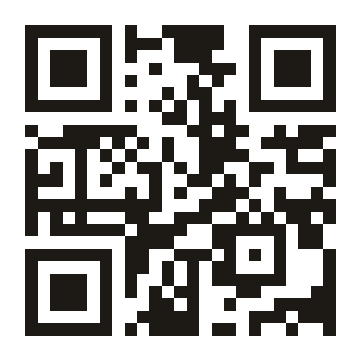
Where the client understands what you do.
Three moments in the contact, three pieces with the same destination.
YOUR FIRM
Law, consulting or engineering
Services and contact
Professional registration and channels on the page
On the card
Anyone who takes the card opens the list of services and the right channel, without searching for your name.
Card of the professional carrying the QR of their page.
About the firm
Credentials, practice areas and cases
On the proposal
Anyone receiving the proposal opens the credentials and the cases of the firm during the meeting itself.
Proposal cover carrying the QR of the firm page.
Talk to us
Practice areas and channels
Point your camera at the code
At the office
Anyone arriving at reception finds the right channel for the area they came for, without taking up the assistant.
Reception sign carrying the QR of the firm page.
What VISU delivers and what stays with the firm.
VISU builds
- The page for the professional or the firm: cover, avatar, bio and the links to services, cases, contact and route.
- The Local tab with address, map, office hours and phone.
- The firm QR, as a print file.
- The artwork for the card, the proposal cover and the reception sign, ready for print.
- The copy of the services and the order of the links, from first to last.
Stays with the firm
- The description of each service and practice area.
- The cases you can show and what has to stay out.
- The contact channels and who answers for each one.
- Sign off on the pieces before print.
- Printing, to be arranged.
One professional, one firm or one practice area.
Open each scope to see what the work covers.
Professional presence
The base: an address of your own that explains what you do and how to reach you.
- Page for the professional on visu.to, with services, cases and contact.
- Local tab with address and office hours.
- Professional QR as a print file.
- Artwork for the card carrying the QR.
Firm
The team comes in as well: one page per partner on the same base.
- A firm page and one page per partner.
- A shared base of copy, links and artwork.
- Local tab with the address and the hours of the office.
- Card artwork per partner and a reception sign.
Practice area
One specific service gets its own page, its own copy and its own QR.
- A page for the practice area, with what it solves and for whom.
- Its own QR, pointing to that page.
- A proposal cover on the subject of the practice area.
- A return to the main address when the front is closed.
Scope and investment are defined in a proposal.
Direct questions.
Do these scopes have a fixed price?
No. The scope describes what the work covers. Scope and investment are defined in a proposal, after the conversation about the firm.
Do I need to use every VISU product?
No. The firm starts with the page and the QR. The rest comes in if and when it changes something in the way clients are handled.
Does the QR save my contact to the phone?
No. The QR opens your page, where the client taps the channel they want. If you need a code that saves a contact, use the free vCard QR code generator.
How does a client reach you today?
Tell us which services you want up front and where the contact comes in. From there we define what needs to be produced.
- Main services and practice areas.
- The channels you use to answer clients.
- What has to appear first on the page.