


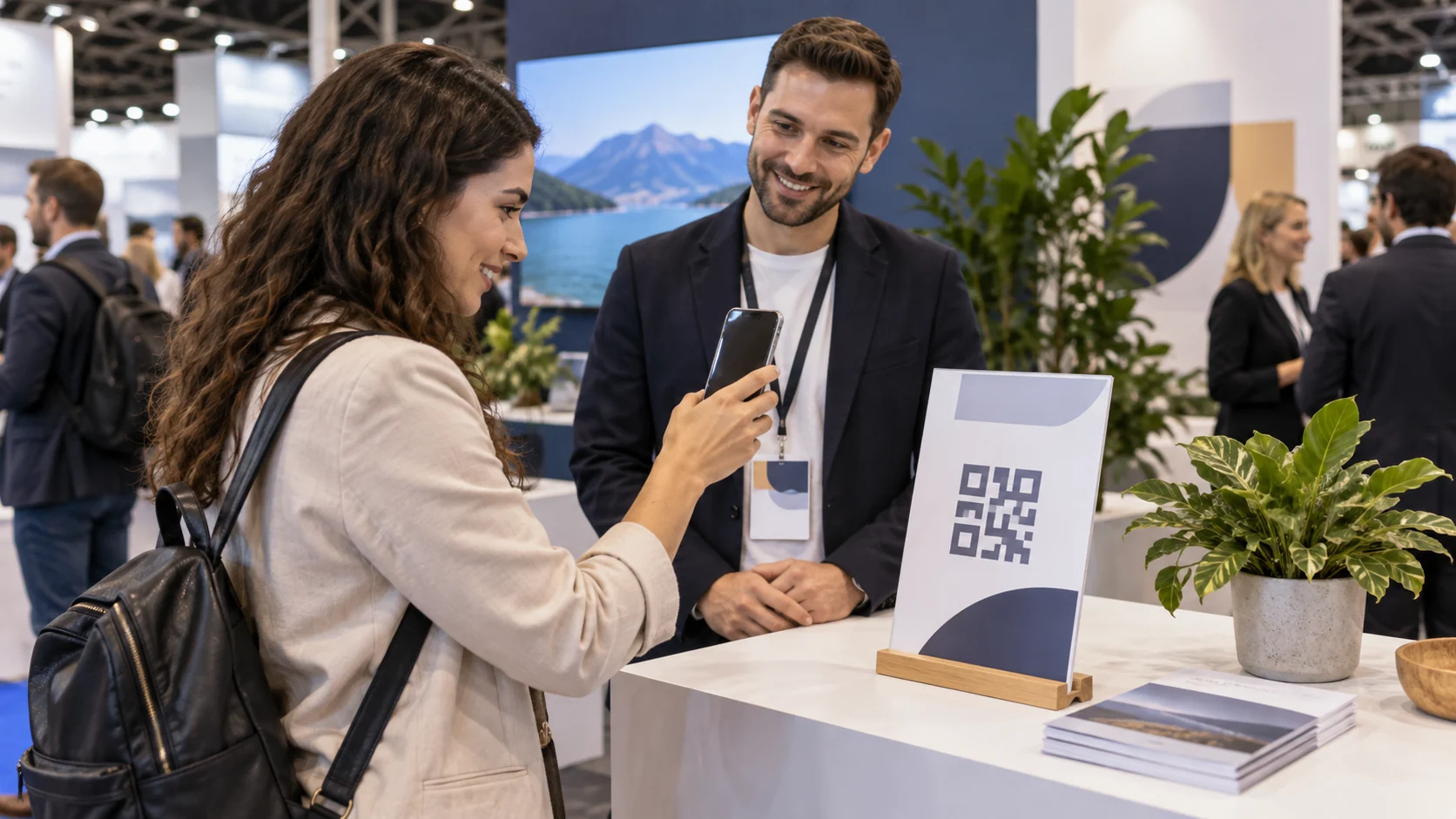
At a trade show, a visitor can scan the QR on your booth sign to open your company page. Your booth team may also scan an attendee badge with a lead-retrieval tool supplied by the event. The direction of the scan changes the job: public information for the visitor, or a contact record under the organizer's rules for authorized staff. Plan them separately before printing a sign or promising follow-up.
Public Pages for the Brand and Its Channels
Explore brand and location pages with the links your company already uses and QR files for printed materials.
Two QR Scans Can Mean Two Different Actions
On a booth sign, your company publishes a destination and the visitor chooses to open it with their own phone. A public page can show what your company does, an approved product selection, a brochure stored elsewhere and a real contact route. The scan by itself does not reveal the visitor's badge record or prove they want a sales call.
Lead retrieval reverses the action. A trained booth representative uses a tool offered by the event to scan an attendee's badge. That tool, its access permissions and the information it returns are defined by the organizer and provider. The exhibitor must learn whether its booth has access, who may operate it and what sharing terms apply at that event. A public QR and a badge reader can coexist, but they are not interchangeable ways to get the same data.
This distinction matters because the team may otherwise promise “every scan is a lead.” A visitor can read your public page anonymously; someone can ask a question without allowing badge retrieval; a badge scan may need an explicit conversation and authorized event process. Keep the meaning of each action visible to staff.
Choose the Tool by the Booth Task
| Task at the booth | Destination, owner and check |
|---|---|
| Visitor wants to inspect your company or products. | Put a public booth QR on a sign. It opens your approved page or existing catalog link; your company maintains those public destinations. |
| Visitor asks for a follow-up meeting or quote. | Offer a clear existing contact route or external form. A message becomes an inquiry when it reaches the person assigned to reply, not when the page is scanned. |
| Staff needs contact details from an attendee badge. | Use the organizer's authorized lead-retrieval tool only if your booth has that service and the event permits the scan. The organizer/provider controls badge data and permissions. |
| Both routes are available at one booth. | Label the visitor-facing sign and staff-only scanner separately. Do not merge scan counts or assume that a page visitor matches a badge record. |
Swapcard's official documentation gives a concrete example of this separation in its own product. Its booth QR guidance routes visitor scans to an exhibitor profile. Its Lead Capture guidance describes badge scans by authorized exhibitors through the event app, subject to configuration and access. Those are Swapcard functions, not claims about VISU or a guarantee that your particular event includes a badge reader.
Make the Public Page Useful Without Demanding a Badge
A visitor who scans the sign may have only a minute. Start with your company's name, the offer relevant to that event, an approved product or service example and one next action. If a full catalog already lives on your website, link to it. If a brochure is stored in your document service, use its current URL. Do not create a second copy of prices or claims that the brand cannot maintain.
Decide who edits the page during the event. If a product is no longer available or the meeting contact changes, the person responsible should update the public destination and test the printed sign on a phone. Keep a fallback contact if an external form or catalog link fails. The QR can remain a simple route to useful information even when the organizer does not sell a lead-scanning license.
A VISU Link page and QR can organize these public links and a contact action for the exhibitor. The Corporate Solution is the commercial route for discussing that page and sign. It does not grant access to the organizer's attendee database or convert an anonymous page view into a named lead. Use wording on the sign that matches the actual destination, such as “Explore our products,” rather than “Scan to register your interest” if there is no registration step.
Signs, Badges and Company Cards
See applications for pages and QR codes on signs, badges and cards, with information for each location or business area.
Confirm the Event's Badge Tool Before Training Staff
Ask the organizer what lead-retrieval service exists for this specific event, whether your exhibitor package includes access, how staff accounts are issued, which badges are supported and what data the tool may provide. Ask where its instructions explain sharing, consent, export and retention. If the service is unavailable or unsuitable, plan an ordinary conversation and your existing contact route; do not invent an attendee list from public QR traffic.
Train only authorized booth staff on the provider's actual workflow. A scan at the entrance can be for access control, while a scan at your booth may serve the exhibitor's contact workflow. The fact that both badges carry codes does not give a brand the event's check-in authority. Do not ask an employee to use a personal scanner or copy badge details into an unrelated spreadsheet just to fill a reporting gap.
Keep follow-up honest. The organizer's system may let the exhibitor add notes or export a contact under its own rules. A sales person still has to understand what the visitor asked for and reply appropriately. If the company wants badge leads in its CRM, it must arrange that with the organizer and provider; VISU Link does not receive or synchronize those records by virtue of hosting a public page.

A Fictional Booth With Both Routes
Illustrative scenario, not a VISU client or measured lead result: a small equipment company has a booth at a regional business fair. Its sign QR opens a public page with two approved product groups, a link to the existing catalog and the sales team's business email. The company tests the page on a visitor's phone before the doors open.
The organizer separately offers a licensed badge-retrieval app for exhibitors. The company checks its agreement and trains one authorized booth employee. A visitor scans the public sign to read about a product. Later, after speaking with that employee, the visitor chooses to use the event's badge process for follow-up. The public scan and the authorized badge scan remain separate events. The company does not assume that every sign scan was by that person or that a scan alone proves purchase intent.
Another visitor reads the public page but leaves without speaking to staff. They can still use the contact link if they wish. If the event tool becomes unavailable, staff keep a simple business card and contact route rather than claiming lost badge records were captured elsewhere. After the fair, the company checks replies and uses the organizer's records only within the agreed process.
Test the Booth Handoff Before the Fair
- Scan the printed public sign on a phone without exhibitor login. Check product links, contact owner and any external form.
- Ask the organizer whether badge retrieval is available for your exhibitor account; read its operating and sharing instructions before staff use it.
- Choose who updates the public page and who responds to inquiries from that page.
- Keep badge records and public-page analytics in separate columns or systems until an authorized, documented process actually links them.
- After a product or contact change, test the sign again. Do not call a scan a lead, meeting or sale without the corresponding evidence.
For the company-facing page and QR, describe your booth, public destinations and contact owner through the Corporate Solution contact form. Any custom data connection would require a separately defined project and the event organizer's authorization. The organizer's badge reader remains outside the page setup.
What Each Scope Includes
Compare pilot, network and program scopes: pages, QR files, printed pieces and the information the company provides.
Frequently Asked Questions
Does scanning my booth QR give me an attendee's contact details?
No. The visitor opens a public destination. A named inquiry requires a separate contact action or an authorized process that provides those details.
Is badge scanning the same as event check-in?
No. Entry validation and exhibitor lead retrieval are different workflows controlled by the organizer's chosen tools and permissions.
Can VISU Link scan event badges?
This guide uses VISU Link only for the exhibitor's public page and links. Badge reading, contact records and any export belong to the organizer's authorized provider.
What if the event has no lead-retrieval service?
Use a clear public page and your existing business contact route. Staff can hold ordinary conversations without claiming the sign identified visitors.
Do two scans count as two leads?
No. A public page scan and a badge-tool scan have different meanings. Review the actual contact and conversation before counting a suitable lead.