

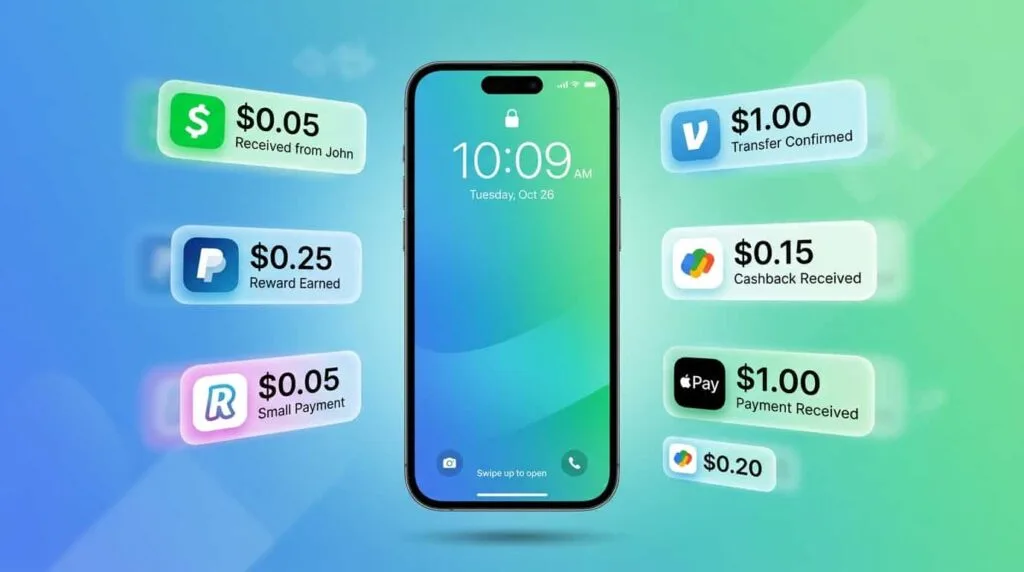
Brands spend over $1 trillion per year on advertising. Most of that money pays for your attention, but you never see a cent. These 8 apps change that: they pay real money for things you already do like watching videos, browsing the web, scanning QR codes, and even keeping your phone screen on.
Every time you scroll Instagram, Meta makes money. Every time you search on Google, Alphabet profits. Every time you watch a TikTok, ByteDance cashes in. The average person is exposed to somewhere between 6,000 and 10,000 ads per day. Global digital ad spending hit $650 billion in 2025 and total ad spending crossed $1 trillion for the first time ever. Every dollar of that comes from one single resource: human attention.
And what do you get in return? Free access to platforms engineered to maximize the time you spend on them. The exchange is lopsided. But a growing category of apps is flipping that model. Instead of extracting your attention without compensation, they pay directly for verified engagement. We tested the main ones for at least 60 days and tracked every cent. Here is what actually pays and how much.
Your Attention Is Worth Money
VISU pays for real engagement at partner locations and online via VISULINK. No surveys. No gambling.
Why Your Attention Is Worth Money
The internet's business model is simple. Platforms offer free services. You use those services and spend time on them. Advertisers pay the platforms to show ads while you are there. The platform keeps 100% of the money. You keep zero.
According to Dentsu, global advertising spend surpassed $1 trillion in 2025 and is projected to grow another 5.1% in 2026. The digital segment alone accounts for $650 billion. Every dollar of that value exists because someone paid attention to something. Your attention is literally the most valuable resource on the internet. You can read more about this concept in our guide on how to get paid for your attention.
The good news is that this model is changing. Privacy regulations are pushing the industry toward consented first-party data. Advertisers are tired of paying for impressions nobody actually sees. And a new generation of apps is emerging with a different proposition: sharing part of the advertising revenue with the user who actually provides the attention. These apps pay for verified attention, meaning actions that prove you actually engaged with the content. That is worth more to advertisers than a passive impression in a feed.
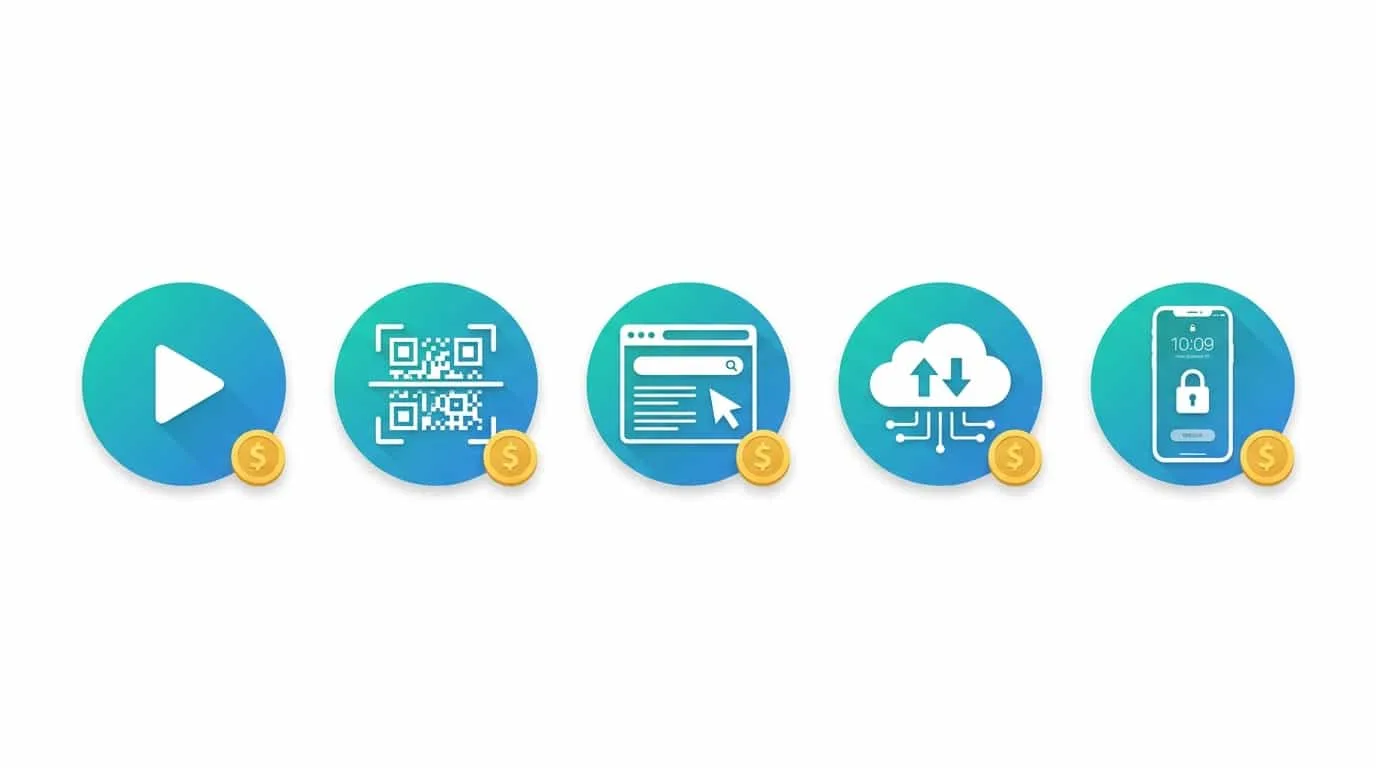
5 Types of Attention That Apps Pay For
Not all attention is monetized the same way. Each app pays for a different type of engagement, and understanding these categories helps you pick the right ones for your routine.
Watching videos and ads: Apps like Swagbucks and InboxDollars pay you to watch short video playlists or ads. It is the most obvious form of selling attention, but also the lowest-paying per hour.
Browsing the internet: Brave Browser and Microsoft Rewards pay for something you already do: using the internet. Brave shows optional ads and pays you in BAT cryptocurrency. Microsoft Rewards gives points for Bing searches.
Sharing data passively: Apps like Nielsen and Honeygain pay for anonymized usage data or unused bandwidth. You install them and forget. They run in the background.
Keeping your lock screen active: S'more puts sponsored content on your Android lock screen and pays daily just for having the app installed. Zero effort.
Physical presence and QR codes: VISU pays for real-world actions like scanning QR codes at partner locations and engaging with brand campaigns. It is the newest form and generates the highest value per interaction because it proves physical presence and intentional engagement.
Watching Videos: Swagbucks and InboxDollars
Swagbucks
Swagbucks is one of the oldest reward platforms on the internet, operating since 2008 with over 20 million members. The platform pays for various activities, but the pure attention method is watching videos. You open a playlist, let it run in the background, and earn SBs (Swag Bucks). Every 100 SBs equals $1.
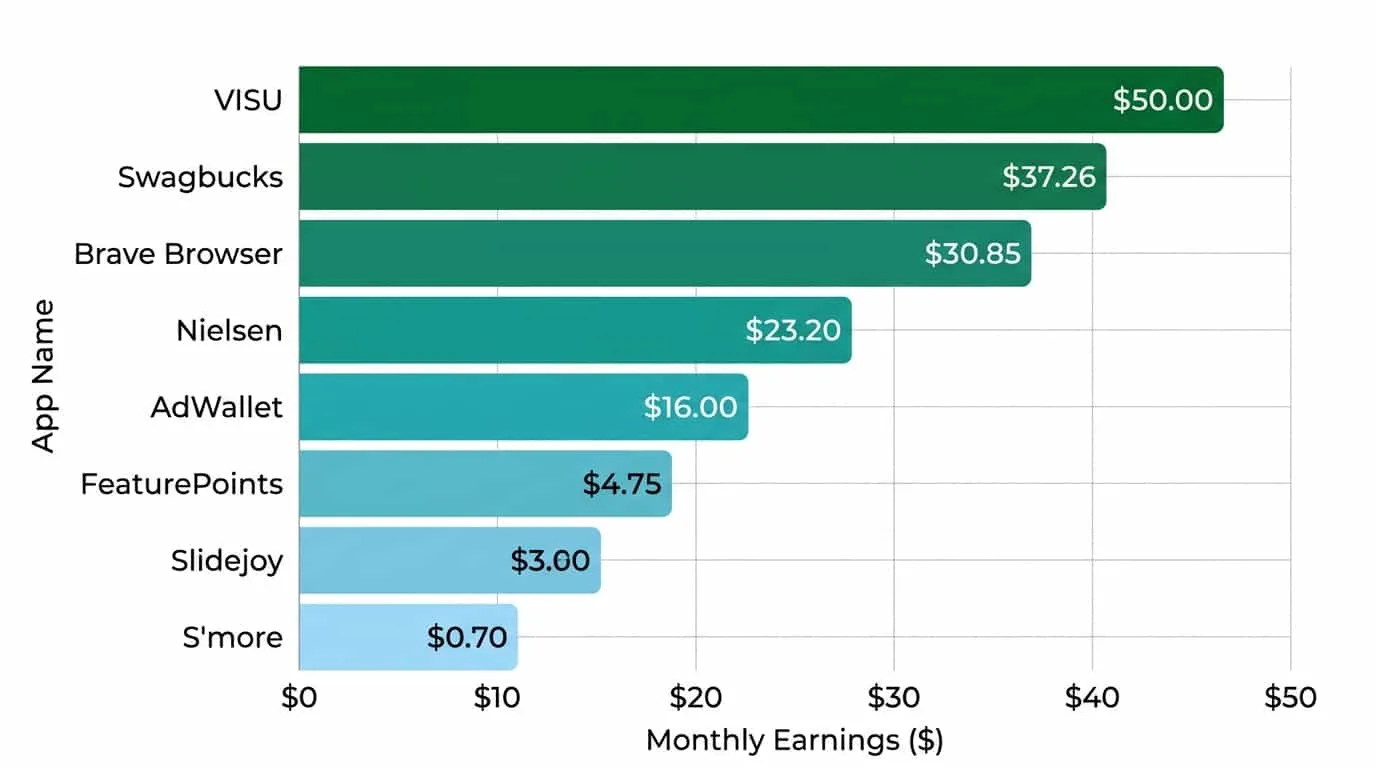
How much it pays: watching videos on Swagbucks earns between $5 and $15 per month based on data from the platform and confirmed by our testing. The hourly rate is low, around $0.50 to $1.50 per hour of video. But since the videos run in the background while you do other things, the active effort is close to zero. Minimum cashout is $3 via PayPal or gift cards. Users who combine videos with cashback shopping report $30 to $50 per month total.
InboxDollars
InboxDollars works similarly to Swagbucks but displays earnings in dollars instead of points. You watch video playlists, read sponsored emails, and complete offers. The psychological advantage is seeing "$0.05" instead of "5 points" because it helps you evaluate whether the time is worth it.
How much it pays: videos on InboxDollars earn between $0.01 and $0.05 per video of 5 to 10 minutes. Realistic monthly earnings from videos alone are $10 to $25 with regular use (30 minutes per day). The $15 minimum cashout is accessible. According to verified reviews, active users who use all features (not just videos) reach $50 to $100 per month, but that includes surveys and offers that go beyond pure attention.
Browsing the Web: Brave Browser and Microsoft Rewards
Brave Browser
Brave is a privacy-focused browser that blocks ads and trackers by default. If you opt into Brave Rewards, the browser displays discreet ads (notifications or new tab images) and pays you in BAT (Basic Attention Token), a cryptocurrency. You do not need to click the ads. You just need to see them.
How much it pays: most users report earning between 0.5 and 1.5 BAT per month in 2026, which translates to approximately $0.15 to $0.45 at current token prices. In previous years the earnings were higher (3 to 5 BAT per month), but with over 100 million monthly active users competing for the same ad budget, the per-person value has dropped. The upside is that the effort is literally zero. You browse normally and the browser does the rest. The downside is that earnings are very low and paid in crypto, which adds volatility.
Microsoft Rewards
Microsoft Rewards pays points for using Bing as your search engine, completing daily quizzes on the Rewards dashboard, and finishing tasks on Xbox. Points can be redeemed for gift cards from the Microsoft Store, Amazon, and other retailers.
How much it pays: dedicated users who complete daily searches, quizzes, and dashboard activities earn between 10,000 and 17,000 points per month. The conversion is approximately 1,300 points per $1 in gift cards, resulting in $7 to $13 per month. It is one of the most consistent options because the tasks take less than 5 minutes per day. The weak point is that you need to use Bing as your primary search engine, and search quality may not match Google depending on what you search for.
Sharing Data: Nielsen and Honeygain
Nielsen Computer & Mobile Panel
Nielsen is the same company that has measured TV ratings for decades. Their digital panel works the same way: you install the app on your phone or computer, and it collects anonymized data about your internet usage. In return, you earn redeemable points.
How much it pays: Nielsen pays up to $60 per year ($5 per month) keeping the app installed on computer and phone. The effort is zero after installation. The program is entirely passive. The downside is the low earnings cap and the fact that some users report device slowdown with the app running.
Honeygain
Honeygain pays for unused internet bandwidth. Companies use the shared bandwidth for market research, ad verification, and price monitoring. You earn approximately $0.10 per GB shared.
How much it pays: between $5 and $20 per month depending on your location, internet speed, and number of connected devices. Minimum cashout is $20 via PayPal or crypto. The app runs silently in the background and uses encrypted tunneling without accessing your personal data or browsing history. You can see more details in our guide on passive income apps.
Earn More Than Watching Videos
VISU pays for verified engagement in the real world. Higher value per interaction than background videos.
Lock Screen: S'more
S'more is an Android app that displays sponsored content on your phone's lock screen. You do not need to interact with anything. Just have the app installed and unlock your phone normally. The lock screen shows a news story or ad, you swipe past it, and you earn 10 points per day automatically.
How much it pays: 10 points per day equals approximately $0.10. That is $3 per month, with the possibility of earning bonus points by engaging with displayed content. Cashout starts at $1 in gift cards. It is the lowest-paying app on this list in absolute value, but also the one that requires the least effort. The opportunity cost is nearly zero because you already unlock your phone dozens of times a day.
Available only on Android. If you use iOS, Brave Browser is the closest passive alternative, although it works in a completely different way.
QR Code and Physical Presence: VISU
VISU operates on a different logic than all the apps above. Instead of paying for online attention (videos, browsing, data), it pays for verified engagement in the real world. You scan QR codes at partner locations like restaurants, shops, events, and cafes, interact with a short campaign, and receive the reward instantly.
Why it pays more per interaction: when you scan a QR code at a physical location, you are proving real presence and intentional engagement. That is worth significantly more to advertisers than a passive impression on a timeline. The advertiser knows you were at the location, that you chose to interact, and that you saw the campaign content from start to finish. Verified attention has a much higher per-unit value than unverified impressions.
Reward value varies by campaign and location. Your earnings depend on the number of active partner locations near you. VISU also offers VISULINK, a link-in-bio tool that lets you monetize your online presence. Creators with an audience can earn rewards when visitors interact with their personalized page. To learn more about scanning and earning, check our guide on apps that pay to scan QR codes.
The combination of offline earnings (QR codes at physical locations) and online earnings (VISULINK) makes VISU one of the most versatile options for anyone who wants to monetize attention in multiple contexts. Most other apps pay for only one type of engagement. VISU covers two.
Earnings Comparison Table
| App | Attention Type | Monthly Earnings | Effort | Min. Cashout | Platform |
|---|---|---|---|---|---|
| Swagbucks | Videos/Ads | $5 – 15 (videos) | Low (background) | $3 | iOS, Android, Web |
| InboxDollars | Videos/Emails | $10 – 25 | Low (background) | $15 | iOS, Android, Web |
| Brave Browser | Browsing | $0.15 – 0.45 | Zero (browse normally) | Variable (crypto) | All |
| Microsoft Rewards | Searches/Quizzes | $7 – 13 | Low (5 min/day) | Variable (gift cards) | Web, Xbox |
| Nielsen | Usage data | $5 | Zero (background) | Quarterly | iOS, Android, PC |
| Honeygain | Bandwidth | $5 – 20 | Zero (background) | $20 | All |
| S'more | Lock screen | $3 | Zero (unlock normally) | $1 | Android |
| VISU | QR Code/Presence | Varies by location | Low (scan when visiting) | Varies | iOS, Android |
How to Stack Apps for Maximum Earnings
These 8 apps monetize different types of attention. They do not compete with each other. You can use all of them simultaneously and each one adds an earnings layer to your routine without conflict.
The recommended stack works like this. Set up Honeygain and Nielsen in the background on your computer and phone for fully passive earnings ($10 to $25 per month combined). Use Brave as your default browser to earn BAT while browsing normally. Complete Microsoft Rewards quizzes for 5 minutes each morning ($7 to $13 per month). Keep S'more on your Android lock screen ($3 per month). When you visit cafes, shops, or restaurants, scan VISU QR codes. And in moments when you are not doing anything, like waiting in lines or commuting, open Swagbucks or InboxDollars to run video playlists.
This stack does not require any routine change. Each app fits into a different moment of the day. The realistic combined earnings using this approach fall between $35 and $80 per month, potentially more depending on your location and the number of VISU partner locations near you. For those who want to go further, our guide on apps that pay real money covers additional options including cashback and walking.
What to Avoid
Apps that promise $50 per day watching videos: No legitimate app pays that amount for passive attention. If the promise sounds too good, it is. Realistic earnings from videos are $5 to $25 per month, not per day.
Apps that ask for a deposit to "unlock" earnings: Legitimate attention apps are free. If one asks for upfront payment to activate rewards, leave immediately.
Focusing on just one app: No single attention app pays enough on its own to be worth the time. The value is in the combination. Six apps running in parallel with minimal effort each earn more than one app used intensively.
Ignoring the hourly rate: Watching Swagbucks videos for 3 hours to earn $1.50 is not a good use of your time if you are sitting there actively watching. These apps only make sense when running in the background or during dead time. If they require active attention, calculate how much they are paying per hour before continuing.
Forgetting to cash out: Leaving a balance sitting in apps is unnecessary risk. Apps can change rules, shut down, or raise minimum cashout thresholds. Redeem as soon as you hit the limit. For a deeper look at whether these types of apps are worth it overall, read are reward apps actually worth it.
Our Verdict
Apps that pay for attention work. They will not make you rich, but they turn time that currently has zero value into small real amounts. The key is understanding what each category offers and combining several of them without significant additional effort.
Passive data apps (Honeygain, Nielsen) and lock screen (S'more) are the foundation because they pay while you sleep. Browsing apps (Brave, Microsoft Rewards) are the second layer because they monetize something you already do every day. Video apps (Swagbucks, InboxDollars) are for dead moments when you are not doing anything. And verified engagement apps like VISU are where the highest value is, because proven real-world attention is worth more to advertisers than passive digital impressions.
If you were to pick just three from this list, start with Honeygain for fully passive earnings, Microsoft Rewards for your daily searches, and VISU for monetizing your outings. That combination covers three different types of attention with almost zero additional daily effort.
Monetize Your Attention for Real
VISU pays for verified engagement at partner locations and online via VISULINK. Your attention is worth more than zero.
FAQ
How much can you earn from attention apps per month?
Using a stack of 5 to 6 apps simultaneously, the realistic range is $35 to $80 per month. Passive apps like Honeygain and Nielsen contribute $10 to $25. Browsing apps like Microsoft Rewards and Brave add $7 to $14. Video apps like Swagbucks add $5 to $15. And engagement apps like VISU vary based on location.
Are these apps safe?
The apps on this list are established and used by millions of people. Honeygain uses encrypted tunneling. Nielsen is a market research company with decades of operation. Brave is an open-source browser. Always download apps from official stores (App Store or Google Play) and read the permissions before installing.
What is the difference between passive and verified attention?
Passive attention is when an ad appears in your feed and the platform counts it as an "impression" even if you never noticed it. Verified attention is when you perform an intentional action like scanning a QR code, which proves you actually engaged. Verified attention is worth more to advertisers, which is why apps like VISU that use this model can pay more per interaction.
Do I have to choose between these apps or can I use all of them?
You can use all of them. They monetize different types of attention and do not conflict with each other. Honeygain runs in the background, Brave is your browser, Microsoft Rewards takes 5 minutes of quizzes, S'more is your lock screen, and VISU is for when you go out. Each one occupies a different slot in your day.
Is watching videos for money worth it?
Only if the videos run in the background while you do something else. Actively watching Swagbucks videos for $0.50 to $1.50 per hour does not pay off as a primary activity. As a background task while working, studying, or cooking, the earnings are essentially free.