

How to unlock hundreds in savings with your student status
Your student ID is worth way more than library access and gym entry. Most students have no idea how many discounts they're missing out on. We're talking 10-50% off at hundreds of brands, from Apple and Nike to Spotify and Amazon.
The problem is that these discounts are scattered across different platforms and verification systems. Some brands use UNiDAYS, others use Student Beans, and some have their own verification. This guide breaks down exactly which apps to use, which brands offer the best deals, and how to stack discounts for maximum savings.
Want to Earn While You Save?
VISU pays you for real-world attention. No surveys, no deposits. Just quick rewards for the time you already spend on your phone.
Quick video. Earn your first reward.
Top Student Discount Apps
Not all discount apps are created equal. These are the ones worth installing, ranked by how much they'll actually save you over a semester.
UNiDAYS
UNiDAYS is the biggest player in student discounts with over 800 brand partners. The app verifies your student status once through your .edu email or enrollment documents, then gives you instant access to discounts. Major partners include Apple (education pricing), Nike (10% off), Samsung (up to 30% off), ASOS (10% off), and Adobe (60%+ off Creative Cloud). The interface is clean, and you can browse deals by category or search for specific brands. If you only download one discount app, make it this one.
Student Beans
Student Beans is UNiDAYS' main competitor with a similar model but different brand partnerships. They tend to have stronger deals in fashion and food categories. Notable exclusives include Foot Locker, Papa John's, and several UK-based retailers. The app also features a "Beans" rewards system where you earn points for using discounts that can be redeemed for gift cards. Worth having alongside UNiDAYS since the brand overlap isn't complete.
SheerID
SheerID isn't a discount app itself but rather the verification service many brands use. Having a SheerID account speeds up checkout when you encounter brands that verify through their system. Spotify, YouTube Premium, Amazon Prime Student, and Apple all use SheerID for verification. Create an account once with your student documents and future verifications take seconds.
ID.me
Similar to SheerID, ID.me is a verification platform used by many American retailers and government services. Target, Lowe's, and several telecom companies verify through ID.me. The app stores your verified student status so you don't have to re-upload documents every time. Also useful beyond student discounts for military, first responder, and other affinity discounts.
If you're also looking to earn money alongside saving it, check out our guide to money apps for students that pair well with these discount platforms.
UNiDAYS vs Student Beans
The two biggest discount apps have different strengths. Here's how they compare across key categories so you know which to check first for different purchases.
| Category | UNiDAYS | Student Beans | Winner |
|---|---|---|---|
| Tech & Electronics | Apple, Samsung, Dell, HP, Lenovo | Samsung, Microsoft, HP | UNiDAYS |
| Fashion | Nike, ASOS, Levi's, H&M | Foot Locker, Converse, Urban Outfitters, PrettyLittleThing | Tie |
| Food & Delivery | HelloFresh, McDonald's (select) | Papa John's, Domino's, Just Eat | Student Beans |
| Software | Adobe, Autodesk, Notion | Adobe, Microsoft | UNiDAYS |
| Entertainment | Spotify, Apple Music | Spotify, cinema chains | Tie |
| Rewards Program | No | Yes (Beans points) | Student Beans |
| Total Brand Partners | 800+ | 500+ | UNiDAYS |
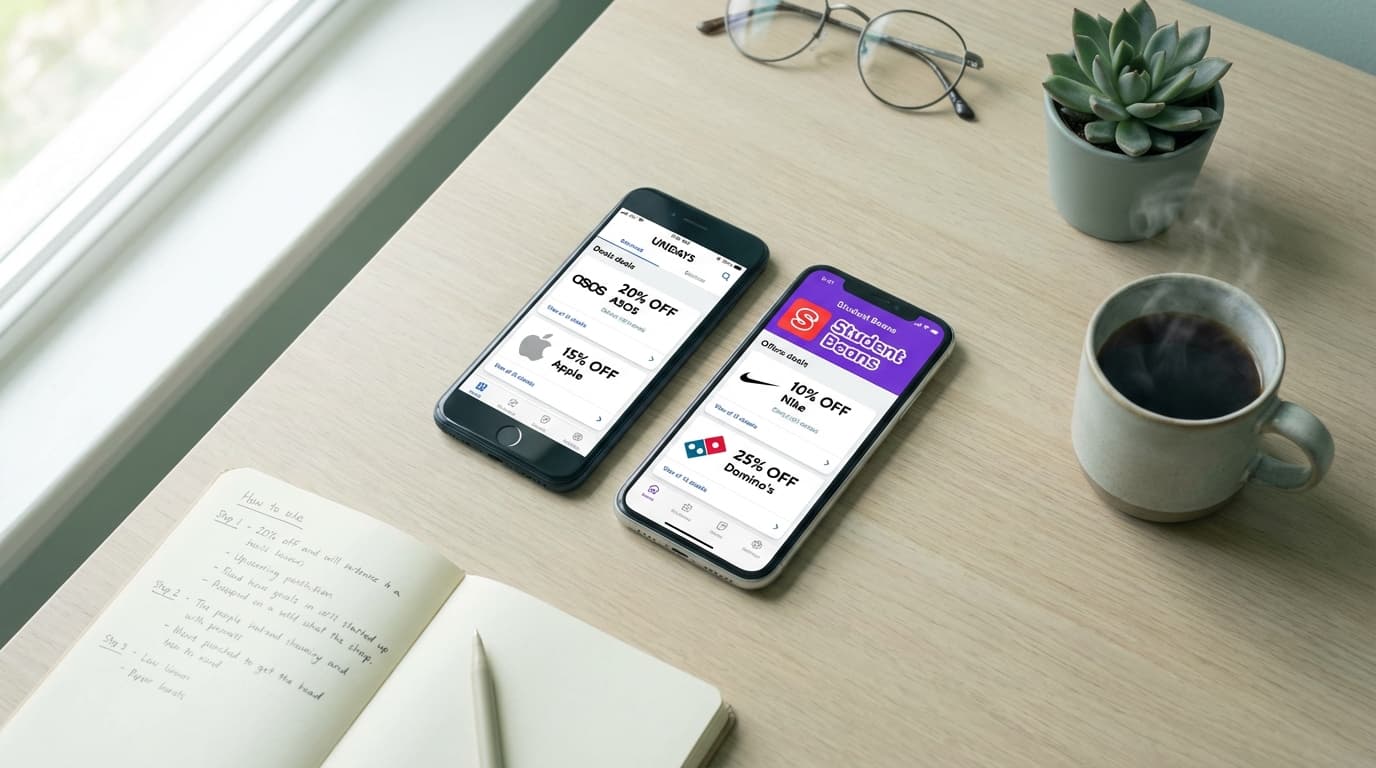
The verdict is simple: install both. They're free, take up minimal space, and checking both before any purchase takes seconds. The few minutes of setup saves hundreds over your college career. Many students also combine these with cashback apps to double-dip on savings.
Best Discounts by Category
Some student discounts are genuinely significant while others are barely worth the effort. Here are the discounts that actually move the needle, organized by what you're likely buying as a student.
Tech & Software
This is where student status pays off the most. Apple Education Pricing saves $100-300 on MacBooks and iPads, no promo code needed, just verify through UNiDAYS or Apple's education store. Adobe Creative Cloud drops from $60/month to around $20/month for students, a savings of nearly $500 per year. Microsoft 365 is completely free for students at most universities. Samsung offers up to 30% off phones, tablets, and laptops through both UNiDAYS and their education store. If you're buying any tech, always check for student pricing first because the savings are substantial.
Streaming & Entertainment
Spotify Student at $5.99/month includes Hulu and Showtime, three services for the price of half a regular Spotify subscription. Apple Music Student is $5.99/month with Apple TV+ included. Amazon Prime Student offers a six-month free trial then 50% off at $7.49/month. YouTube Premium Student is $7.99/month versus $13.99 regular. These subscriptions add up, so always verify your student status for the discounted rate.
Fashion & Apparel
Nike offers a consistent 10% student discount through UNiDAYS. ASOS gives 10% off everything, which stacks during sales. Levi's offers 15% off. Urban Outfitters and H&M both offer 10-15% student discounts. Adidas has up to 30% off through student verification. For fashion purchases, checking UNiDAYS and Student Beans before buying is a no-brainer because discounts apply even to sale items at many retailers.
Food & Groceries
Food discounts are less consistent but worth knowing. Amazon Prime Student includes free grocery delivery from Whole Foods in eligible areas. Many local restaurants near campuses offer student discounts not listed in apps, so always ask. Papa John's offers 25% off through Student Beans. HelloFresh and other meal kits offer steep introductory discounts for students, often 50-60% off first orders.
Save Money and Earn Money
While discount apps save you money on purchases, VISU helps you earn money in your spare time. The best financial strategy combines both.
Quick video. Earn your first reward.
How Verification Works
Understanding the verification process saves frustration and ensures you never miss a discount due to technical issues. Different brands use different methods, but they all fall into a few categories.
Email Verification
The simplest method requires a .edu email address. You enter your email, receive a verification link, click it, and you're verified. UNiDAYS and Student Beans primarily use this method. The downside is that some schools don't provide .edu addresses, and some students lose access after graduation. If your school uses a different domain, you can usually verify through document upload instead.
Document Upload
For students without .edu emails or for higher-value discounts, you'll need to upload proof of enrollment. Acceptable documents typically include class schedules, enrollment letters, student ID photos, or tuition receipts. SheerID and ID.me specialize in this verification. Documents usually need to show your name, school name, and current semester or year. Verification takes minutes to 24 hours depending on the service.
Direct Institution Verification
Some platforms verify directly with your school's database. You log in with your school credentials, and the system confirms your enrollment automatically. This is the most seamless method but requires your school to partner with the verification service. Apple Education and Microsoft 365 Education often use this approach.
In-Store Verification
For brick-and-mortar discounts, showing your physical student ID usually works. Apple Stores accept student IDs for education pricing. Many clothing stores and restaurants accept student IDs for in-store discounts not available online. Always carry your ID because you never know when a discount opportunity appears.
If you're looking for more ways to make your student status work for you financially, our guide to making money as a college student covers strategies beyond just saving.
How to Stack Discounts
Smart students don't just use one discount, they stack multiple savings methods on the same purchase. Here's how to maximize every transaction.
The Triple Stack
The most effective strategy combines student discount plus cashback plus credit card rewards. For example, buying Nike shoes: start with the 10% UNiDAYS student discount, go through Rakuten for 3-8% cashback, and pay with a cashback credit card for another 1-2% back. On a $100 purchase, you'd save $10 from student discount plus $5 from Rakuten plus $1.50 from your card. That's $16.50 saved on a single purchase, and it takes about 30 extra seconds.
Sale Plus Student Discount
Many retailers apply student discounts on top of sale prices. ASOS is particularly good for this, where you can combine 50% off sale items with your 10% student discount. Nike and Adidas also allow this stacking during sales. Always check the terms, but more retailers allow stacking than you'd expect. This is where major savings happen, with total discounts sometimes exceeding 60%.
New Customer Plus Student
First-time buyer discounts often stack with student discounts. Meal kit services like HelloFresh offer 50-60% off first boxes, and student status can add additional savings on future boxes. Fashion retailers often have email signup discounts (10-15% off first order) that stack with student verification. Sign up for emails first, then apply the student discount at checkout.
Referral Plus Student
Some services offer referral bonuses that work alongside student pricing. Amazon Prime Student referrals give both parties credits. Certain apps offer referral bonuses that combine with student rates. Check if services you use have referral programs and share with classmates for mutual benefit. For more on maximizing referral income, see our guide to referral apps that pay.
Tips for Maximum Savings
Beyond just having the apps, these strategies help you save consistently throughout your college years without spending extra time hunting for deals.
Set up both UNiDAYS and Student Beans immediately after enrolling. Verification is easiest when your enrollment is fresh in school systems. Both apps are free, so there's no reason not to have both installed and verified from day one.
Enable notifications selectively. Turn on alerts for categories you actually shop, like tech or fashion, but disable the rest to avoid notification fatigue. Both apps let you customize what deals you see.
Check for student discounts before every purchase over $25. Make it a habit. The 30 seconds it takes to search "brand name student discount" or check your apps often saves $5-50 per purchase. Over four years, this habit saves thousands.
Remember that student discounts don't expire when you do. Many verifications last 12-24 months, so you often retain access for a year or more after graduation. Verify everything during your final year to maximize the extended benefits window.
Ask in stores. Many brick-and-mortar locations offer student discounts not advertised online. Movie theaters, museums, local restaurants, and transportation services frequently offer 10-20% student discounts. The worst they can say is no, and you'd be surprised how often they say yes.
Combine discounts with passive income apps that run in the background. While you're saving money with student discounts, apps like VISU let you earn money during downtime. The combination of spending less and earning more accelerates your financial situation significantly.
FAQ
Do I need a .edu email to get student discounts?
Not always. While .edu emails make verification fastest, most platforms also accept enrollment documents, class schedules, or student ID photos. International students and those at schools without .edu domains can still access all major student discounts through document verification.
How long do student discounts last after graduation?
It varies by platform. UNiDAYS and Student Beans typically allow access for 12-24 months after your last verification. Spotify Student requires re-verification annually and will eventually require proof of current enrollment. Amazon Prime Student converts to regular Prime after four years or graduation. Verify everything in your final year to maximize the extended window.
Can part-time students get discounts?
Yes. Most verification systems check enrollment status, not credit hours. Part-time students, community college students, trade school students, and graduate students all qualify. As long as you're enrolled at an accredited institution, you should be able to verify your student status.
Is UNiDAYS or Student Beans better?
Both are worth having because they have different brand partnerships. UNiDAYS has more partners overall and stronger tech discounts, while Student Beans has better food deals and a rewards program. Install both and check each before purchases, it takes seconds and ensures you never miss a discount.
Can I use student discounts for gifts?
Generally yes. Student discounts apply to your purchase regardless of who receives the item. You can buy gifts at discounted prices as long as you're the one making the purchase. Some brands limit quantities to prevent reselling, but normal gift purchases are fine.
Do student discounts work internationally?
UNiDAYS and Student Beans operate in multiple countries, but available brands vary by region. International students studying in the US can typically access US discounts. If studying abroad, check which platform has better partnerships in your host country. Some discounts are region-locked while others work globally.
Ready to Start Saving?
Download UNiDAYS and Student Beans today. Verify your status once, then enjoy discounts at hundreds of brands for the rest of your college career. Your bank account will thank you.
Quick video. Earn your first reward.