

We tested 15 micro-task apps to find which ones actually pay fairly for small tasks. See which are worth your time and which to avoid.
Small tasks add up. A 30-second survey here, a quick photo there, a QR scan at lunch. None of these feel like work, but stack enough of them and you can end the month with meaningful extra income.
These apps work because your attention has real value. Brands pay for verified engagement, and micro-task apps let you monetize moments you'd otherwise waste.
The trick is finding apps that pay fairly for your time. Many micro-task apps pay tiny amounts for tasks that take longer than advertised. This guide focuses on task-based apps where the effort-to-reward ratio can make sense for real people.
We focus on apps that reward quick daily actions. Not background-only "passive income" apps. Not side hustles that take hours. Just simple tasks you can do in spare moments. For the complete picture of earning apps, check out apps that pay real money.
Get Rewards from Everyday Actions
VISU rewards users for scanning QR codes at participating stores, restaurants, and events. Reward size and cashout options depend on campaign rules and availability in your area.
Quick video. Earn your first reward.
What Counts as a "Small Task" App?
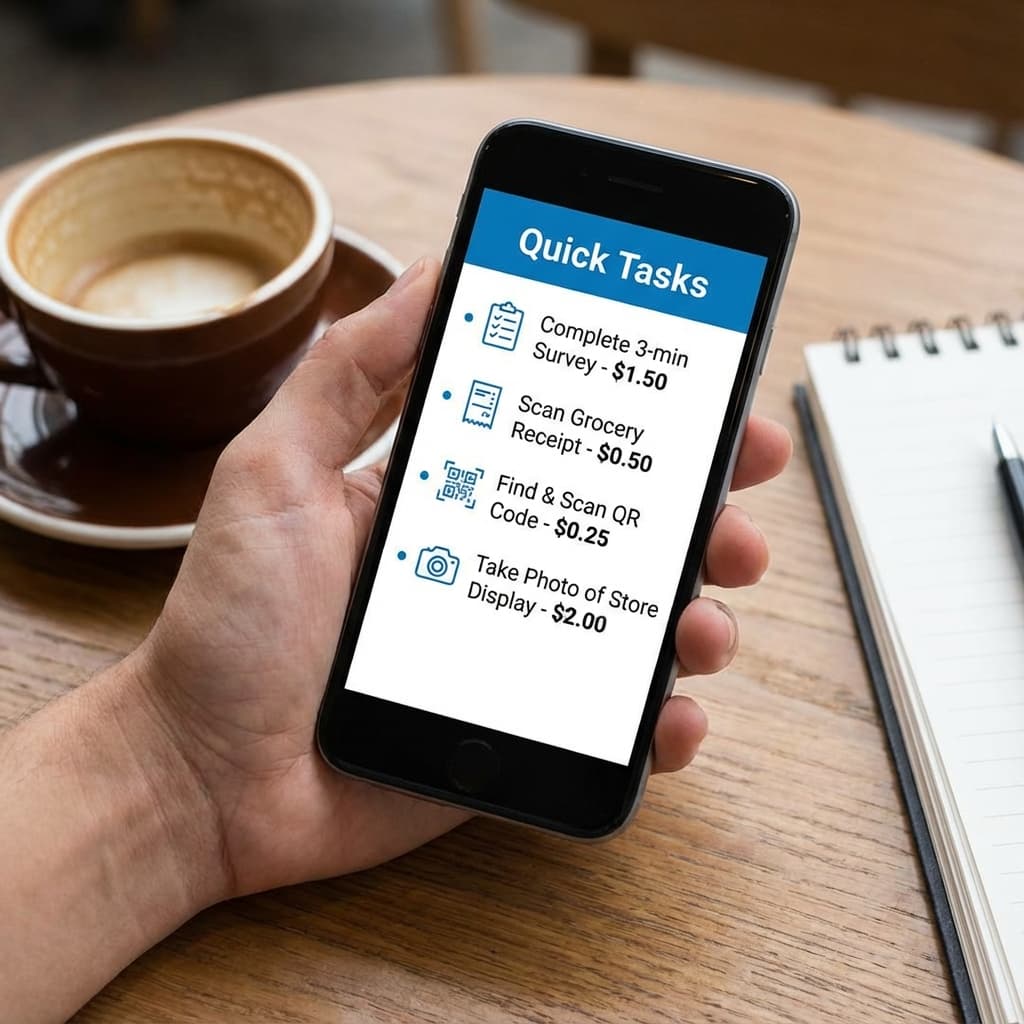
We define small task apps by three criteria:
Time per task: under 5 minutes, ideally under 2 minutes.
No specialized skills: anyone can do these tasks with a smartphone.
Flexible timing: you can complete tasks whenever you have spare moments.
Apps that meet these criteria help you monetize time that would otherwise be wasted, like waiting in line, commuting, or killing a few minutes between activities.
15 Best Micro-Task Apps That Pay for Small Tasks (2026)
Organized by task type so you can pick apps that match how you prefer to earn. Availability and payout rules can vary by country and can change over time, so always verify the current terms inside each app.
Category 1: Scan and Earn
1. VISU Network
Task type: scan QR codes at participating locations (restaurants, retail, events).
Time per task: usually seconds.
Reward per task: varies by campaign and region.
Payout: in-app balance with redemption options depending on campaign rules and local availability.
Why it can work: the best use case is scanning where you already go. If you avoid extra trips and only scan during your normal routine, the effort stays near zero. Learn more about how VISU rewards work.
2. Fetch Rewards
Task type: photograph receipts from many stores.
Time per task: seconds per receipt.
Reward per task: points-based and varies by receipt and promos.
Payout: typically gift cards with minimums.
Why it can work: scanning receipts you already have is low effort. Promos can boost totals over time.
3. Shopkick
Task type: store visits, product scans, and occasional in-store tasks.
Time per task: from seconds to a few minutes.
Reward per task: points-based and varies by action.
Payout: typically gift cards with minimums.
Why it can work: good if you already visit participating stores. Avoid extra trips purely for points. For more store visit options, see our guide to store visit apps.
4. Receipt Hog
Task type: scan receipts and earn coins, sometimes with bonus mechanics.
Time per task: seconds.
Reward per task: varies by receipt and bonus rules.
Payout: PayPal or gift cards depending on region, minimums usually apply.
Why it can work: easy to use as a secondary receipt app if you already scan anyway.
Category 2: Quick Surveys and Opinions
5. Google Opinion Rewards
Task type: short surveys about places, products, and preferences.
Time per task: seconds.
Reward per task: varies by survey.
Payout: depends on device and region.
Why it can work: surveys are usually short and low friction, but they arrive irregularly.
6. Swagbucks
Task type: surveys, videos, search, games, and offers.
Time per task: varies widely by method.
Reward per task: points-based and varies.
Payout: PayPal or gift cards, minimums depend on option.
Why it can work: variety helps you fill dead time with small actions instead of long sessions.
7. Survey Junkie
Task type: market research surveys.
Time per task: often longer than true micro-tasks.
Reward per task: points-based.
Payout: varies by region and program rules.
Why it can work: better for people who prefer fewer, longer tasks rather than constant quick hits.
8. Branded Surveys
Task type: consumer surveys.
Time per task: varies.
Reward per task: points-based.
Payout: varies by region and rules.
Why it can work: consistent survey availability in some markets, but it depends on eligibility.
Category 3: Photo and Data Tasks
9. Field Agent
Task type: store visits, photos, price checks, product verification.
Time per task: minutes, sometimes longer.
Reward per task: can be higher than most apps, varies by job.
Payout: often PayPal, rules vary.
Why it can work: high pay per task when jobs exist near you. Availability is location-dependent.
10. Gigwalk
Task type: retail photo and data gigs.
Time per task: minutes to longer sessions.
Reward per task: varies widely.
Payout: often PayPal, rules vary.
Why it can work: best in large metros. Treat it as opportunistic, not guaranteed.
11. Premise
Task type: location photos and local data tasks.
Time per task: short to medium.
Reward per task: varies by task and region.
Payout: depends on region.
Why it can work: good if you already walk around often and live in an area with frequent tasks.
Category 4: Watch and Engage
12. InboxDollars
Task type: videos, emails, offers, surveys.
Time per task: varies.
Reward per task: varies by task type.
Payout: rules vary, minimums often apply.
Why it can work: can fill dead time, but do not expect high earnings from video-only. For more video options, see our guide to video reward apps.
13. Swagbucks Watch
Task type: video playlists.
Time per task: minutes per playlist.
Reward per task: points-based and modest.
Payout: part of Swagbucks ecosystem.
Why it can work: low-effort background option for some users, but pay per minute is usually low.
14. Perk TV
Task type: video ads and trailers.
Time per task: continuous.
Reward per task: points-based and modest.
Payout: varies by region and rules.
Why it can work: can run on spare devices, but earnings are typically small.
Category 5: Miscellaneous Quick Tasks
15. Amazon Mechanical Turk
Task type: small "HITs" like tagging, short tasks, surveys, and data entry.
Time per task: seconds to longer tasks.
Reward per task: varies widely.
Payout: varies by location and account status.
Why it can work: huge variety, but your results depend on task selection and consistency.
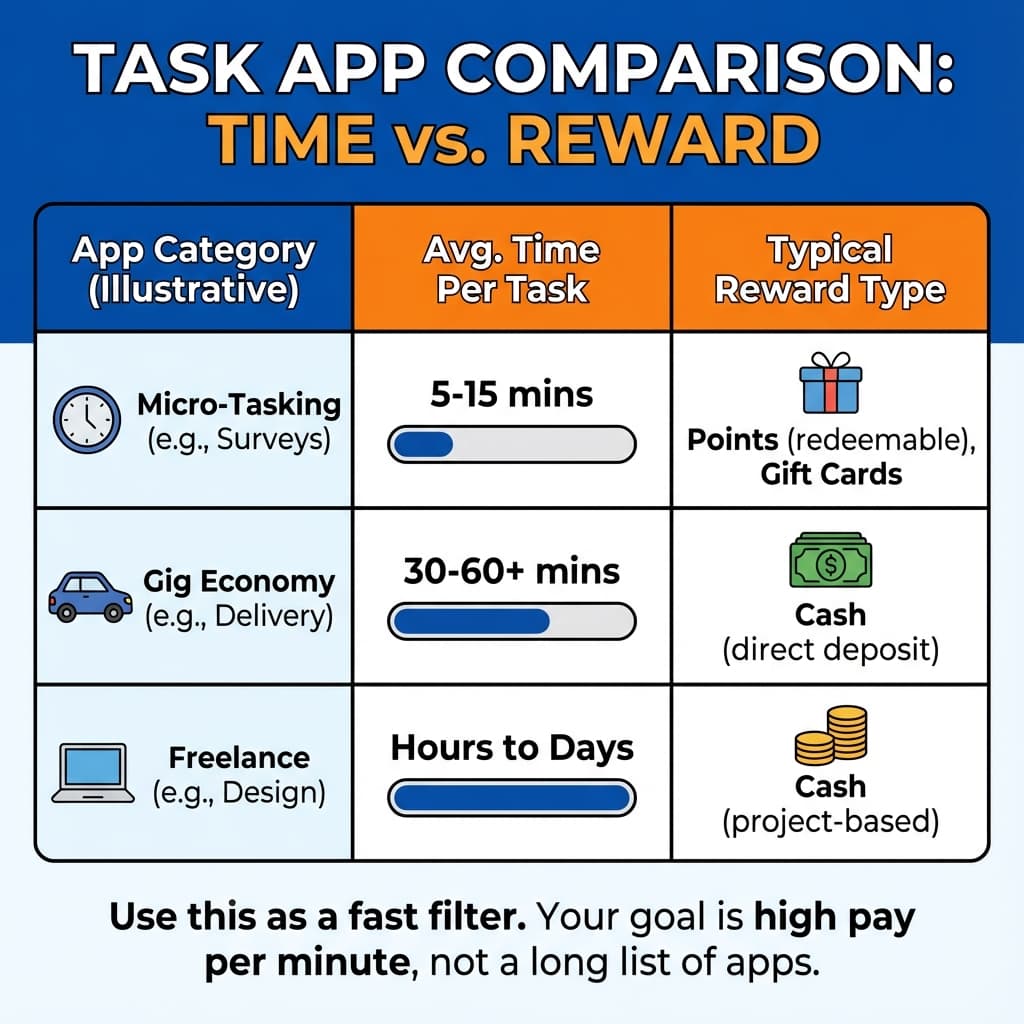
Quick Comparison: Task Apps by Effort vs. Pay
| App | Task Type | Time per Task | Reward Type | Best For |
|---|---|---|---|---|
| VISU | QR scans | Seconds | Campaign-based | Fast, location-based tasks |
| Google Opinion | Surveys | Seconds | Credits or cashout (varies) | Low-friction surveys |
| Fetch | Receipt scans | Seconds | Points | Receipt stacking |
| Field Agent | Store visits | Minutes | Cash | Higher pay per job |
| Survey Junkie | Surveys | Minutes | Points | Dedicated survey takers |
| mTurk | Various HITs | Varies | Cash or credits | Task variety |
| Swagbucks | Mixed | Varies | Points | All-in-one platform |
Tip: pick 3 to 5 apps that match your routine. More apps usually adds complexity without adding much income.
Task Apps That Pay Daily
Some task apps let you cash out earnings the same day or within 24 hours. If fast payouts matter to you, prioritize these options:
| App | Payout Speed | Minimum |
|---|---|---|
| VISU | Instant to balance | Varies by campaign |
| Field Agent | Same day (often) | No minimum |
| Premise | 24-48 hours | $5 |
| Gigwalk | 24-48 hours | Varies |
| Swagbucks | 1-3 days | $3-25 |
| Survey Junkie | 1-2 days | $5 |
Most task apps take 1-3 days to process payouts. Apps with instant or same-day payouts are ideal if you want to see earnings immediately after completing tasks.
Highest Paying Task Apps (Ranked by Earning Potential)
If maximizing earnings per task is your goal, these apps tend to pay the most:
- Field Agent: $3-15+ per task (store visits, audits)
- Gigwalk: $3-100+ per gig (varies widely by job)
- Amazon Mechanical Turk: $0.01-20+ per HIT (depends on task type)
- Premise: $0.50-5 per task (location-based)
- Survey Junkie: $0.50-3 per survey
- Swagbucks: $0.25-2 per activity
- VISU: varies by campaign (location-based QR scans)
Higher pay usually means more effort or stricter requirements. Field Agent and Gigwalk pay well but require travel to specific locations. Survey apps pay less per task but are available anywhere.
Sample Daily Earning Routine (About 15 Minutes Total)
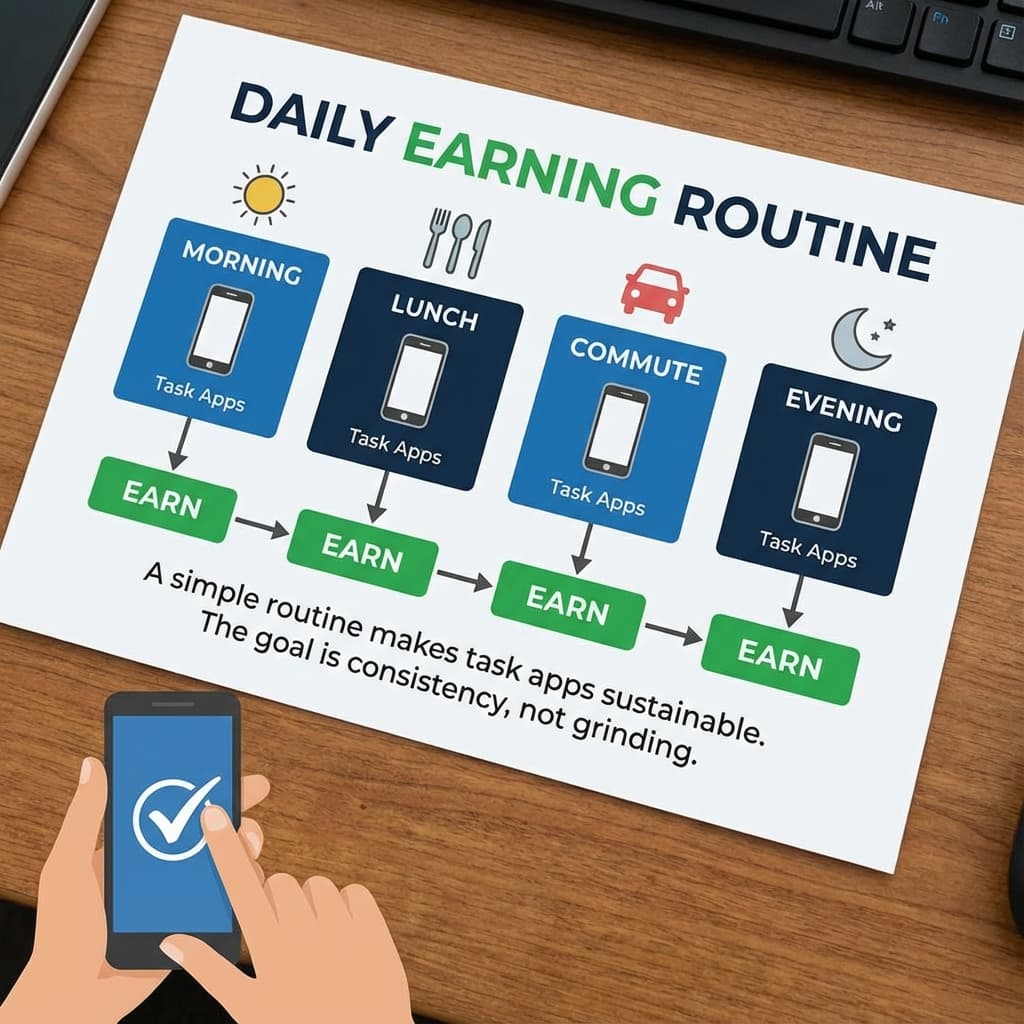
Here is an example of how to stack small tasks without it feeling like work. Adjust to your schedule and your app availability.
Morning (about 3 minutes):
- Check Google Opinion Rewards for quick surveys
- Scan any receipts you saved
- Do a fast daily action in an all-in-one app if you use one
Lunch (about 5 minutes):
- Scan a VISU code if the location has an active campaign
- Complete one short survey if you are eligible
- Scan the receipt if you received one
Commute or waiting time (about 5 minutes):
- Run a short video playlist in the background if it makes sense
- Complete a couple quick micro-tasks if you use mTurk or similar
- Answer any new short surveys
Evening (about 2 minutes):
- Scan any remaining receipts
- Check for a nearby high-value photo gig if you live in a busy area
- Optional: quick points for store visits if you are already passing by
Important: earnings vary a lot by country, city, and eligibility. Treat any estimate as a range, not a promise.
How to Maximize Small Task Earnings
Focus on pay per minute
A task that looks "bigger" can be worse if it takes too long. Do the math quickly and skip anything that feels like a grind.
Stack apps that do not overlap
Combining QR scans, receipts, and occasional surveys can make one routine generate multiple reward types without extra effort. If you also walk a lot, consider adding apps that pay you to walk to your stack.
Use notifications selectively
Some apps can alert you about nearby opportunities. Turn on notifications only for apps that offer genuinely useful alerts in your area.
Use dead time strategically
Lines, transit, waiting rooms, breaks. These moments are perfect for short tasks because they do not steal focused work time.
Know when to quit
If a survey is dragging or a task keeps glitching, abandon it. Your time is the real asset.
Build streaks and levels, but only if they pay
Some platforms reward consistency. Just make sure the bonus is real and worth the habit. If you prefer more passive methods, see our guide to passive income apps.
Task Apps to Avoid
Here are common patterns that waste your time:
Constant disqualifications: survey apps that disqualify you after several minutes of questions.
Terrible pay rates: anything that works out to extremely low pay per minute.
Buggy task tracking: tasks that crash, freeze, or do not credit reliably.
Ad overload: apps that feel like they show more ads than they deliver in rewards.
Start Earning From Daily Actions
VISU can turn everyday moments into rewards when campaigns are available nearby. Reward size and cashout options depend on campaign rules and regional availability.
Quick video. Earn your first reward.