

The Offline Opportunity Creators Miss
You spent six months growing to 50,000 Instagram followers. You announce a meetup in your city, 150 people show up, you take photos, chat with fans, sign a few things, record stories, everyone says "I love your content". You go home feeling great.
Then you look at your analytics and your bank account. What did you actually gain? Maybe 20 new followers who already knew about you. No clear revenue from the meetup itself. No structured way to follow up beyond the same social feeds they were already using before. The energy was real, but the impact is hard to measure.
Now imagine a different setup. Same meetup, same 150 people. At the entrance a sign says: "Scan to earn rewards + unlock exclusive creator perks" next to a big, branded QR code. Ninety people scan while they wait in line. Fifty four complete the onboarding and sign up for VISU through your creator QR. Thirty two become active users who consistently earn around $85 per month by engaging with VISU campaigns and missions.
With a lifetime commission model, your share as a creator is 10 percent of what they earn. Those thirty two fans earning $85 per month will generate around $272 per month for you, from this single two hour meetup. Over twelve months, that event alone is worth roughly $3,264 in recurring income without you needing to host that meetup again.
That is the difference between treating offline moments as one time meet and greet experiences and treating them as the start of a long term, measurable earning loop for both you and your community.
The Phygital Gap
Most creators still operate as if the online and offline worlds are separate universes. Either they are online only creators who live inside platforms, or offline only community builders who run classes, shows, or meetups without connecting those moments to a digital system.
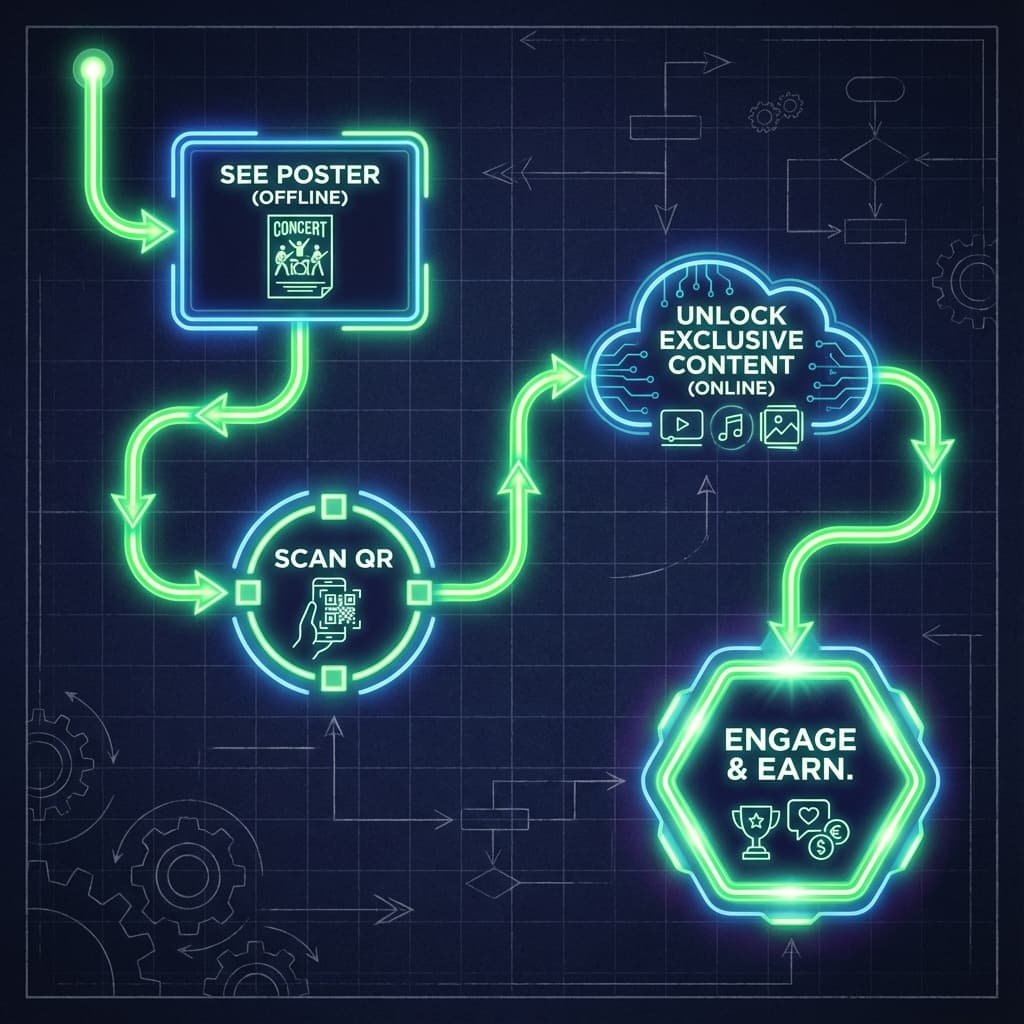
The real leverage sits in the middle with phygital creators. These are creators who treat every physical interaction as the top of a digital funnel. Fans who shake your hand, sit in your audience, or wear your merch are not just faces in a room. They are high intent users who can be onboarded into a long term experience where they:
- Earn rewards when they scan and participate in VISU campaigns.
- Get exclusive content, challenges, or perks tied to your community.
- Stay connected to you in a structured and trackable way across months and years.
Connecting offline and online is not about replacing social media. It is about making sure your best moments in the real world do not disappear into thin air when the event ends.
Table of Contents
- Why Offline Engagement Matters
- VISU QR Code Setup Guide
- Technical Guide for Reliable QR Printing
- Partnership Scripts to Get into Stores
- Gamification Blueprints and Contests
- Event Specific Strategies
- QR Design and Activation Psychology
- Measurement, ROI and Revenue Math
- Creator Case Studies and Scaling
- 90 Day Implementation Roadmap
Why Offline Engagement Matters More Than Ever
The Online Attention Crisis
Social feeds are more crowded every year. Algorithms throttle reach, recommended feeds mix your posts with thousands of other creators, and you constantly fight for a slice of two or three seconds of attention. In many niches, organic reach is a small fraction of your total follower base. It is still powerful, but it is no longer the only game in town.
Offline interactions work under a completely different logic. If 80 people are seated in a room listening to you, you already own 100 percent of the attention in that space. There is no feed ranking, no notifications interrupting the moment, no competing creators stacked directly above and below your content.
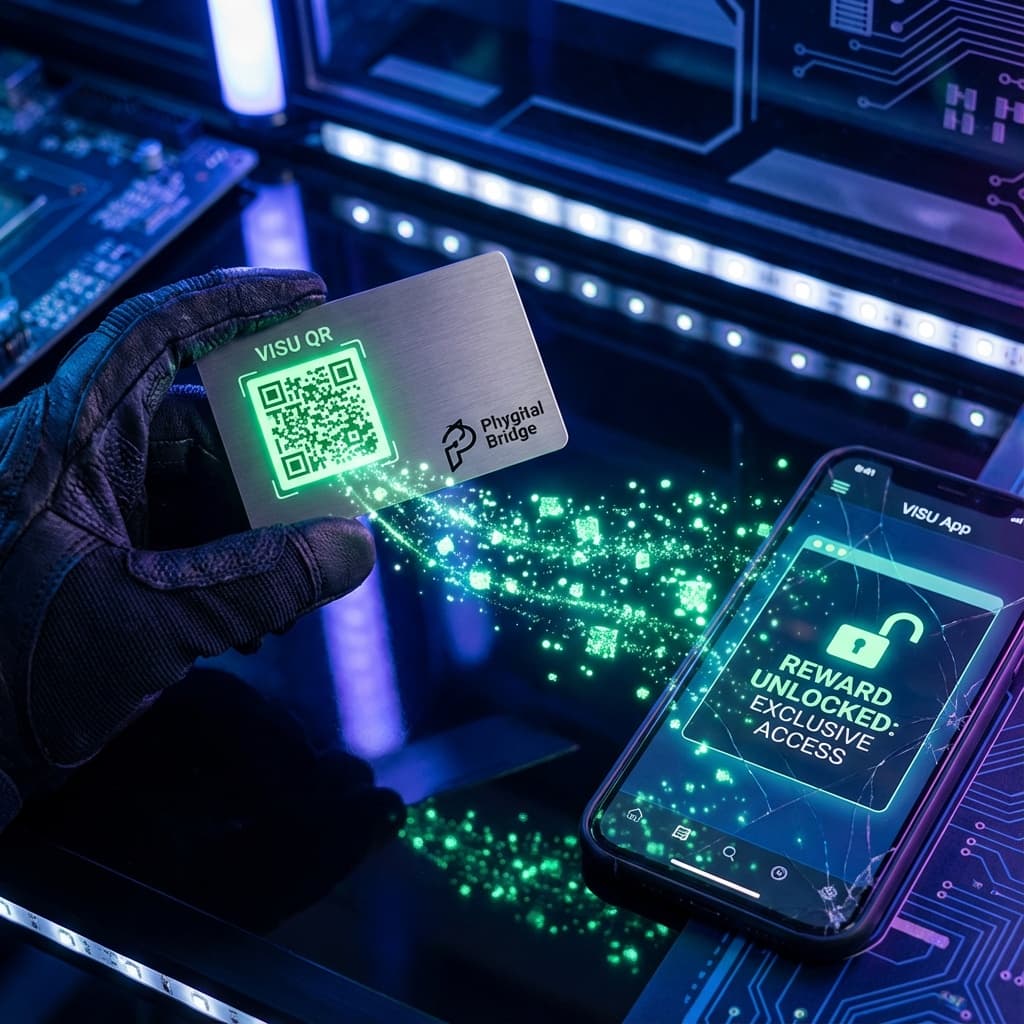
What usually goes missing is the infrastructure that turns that rare attention into something you can measure and grow over time. That is where QR codes combined with VISU come in.
| Metric | Online Post | Offline Interaction | Multiplier |
|---|---|---|---|
| Attention Span | 1.3 seconds | 2 to 10 minutes | 92x - 461x |
| Memory Retention | 6% after 24 hours | 73% after 30 days | 12x |
| Conversion Rate | 0.5% - 3% | 40% - 70% | 13x - 140x |
These numbers are not about perfection. They are about direction. The point is simple: a person who has stood in front of you, heard your voice, and decided to stay in the room is a different kind of lead than a random viewer who saw your Reel for two seconds.
The Economic Transformation
Traditionally, offline events are cost centers. You pay for the venue, staff, travel, camera crew, decor and maybe some snacks. You justify it as brand building and hope the content you captured will perform well later.
With VISU creator QR codes, those events become assets that keep generating revenue long after the lights go off. You can attach clear numbers to questions like:
- How many people scanned?
- How many created a VISU account from my code?
- How many became active users who join campaigns every month?
- How much commission is this event creating for me each month?
When you can answer those questions, offline events move from vague brand plays to a predictable, compounding revenue engine.
VISU Creator QR Setup for Offline Use
Before you worry about advanced tactics, you need one thing: a solid, dynamic creator QR code connected to a high converting landing experience.
Phase 1: Generate Your Creator QR Code
Inside the VISU app or dashboard, go to Creator Tools → QR Codes → Generate. Always select Dynamic QR code. This allows you to:
- Update the destination link without reprinting codes.
- Run time limited campaigns and then redirect traffic to a default flow.
- Test different onboarding experiences while using the same physical materials.
For your first destination, you can use:
- A creator smart link that explains VISU and shows your dashboard proof.
- A short landing page that focuses on "earn money with your everyday attention".
- A challenge style page such as "Scan and earn your first reward in 5 minutes".
Phase 2: Add Tracking Parameters
Every location and event should have its own tracking layer using UTM parameters:
?utm_source=offline&utm_medium=event&utm_campaign=nyc_meetup
For a tour or multiple events, duplicate your base dynamic QR and change only the campaign parameter:
?utm_campaign=la_meetup?utm_campaign=fan_conference?utm_campaign=partner_gym_a
In your creator dashboard you will then see how many users each QR path brings and how much those users earn over time.
Phase 3: Create Physical Materials
Once the digital logic is ready, you translate it into physical touchpoints that fans can see and scan quickly.
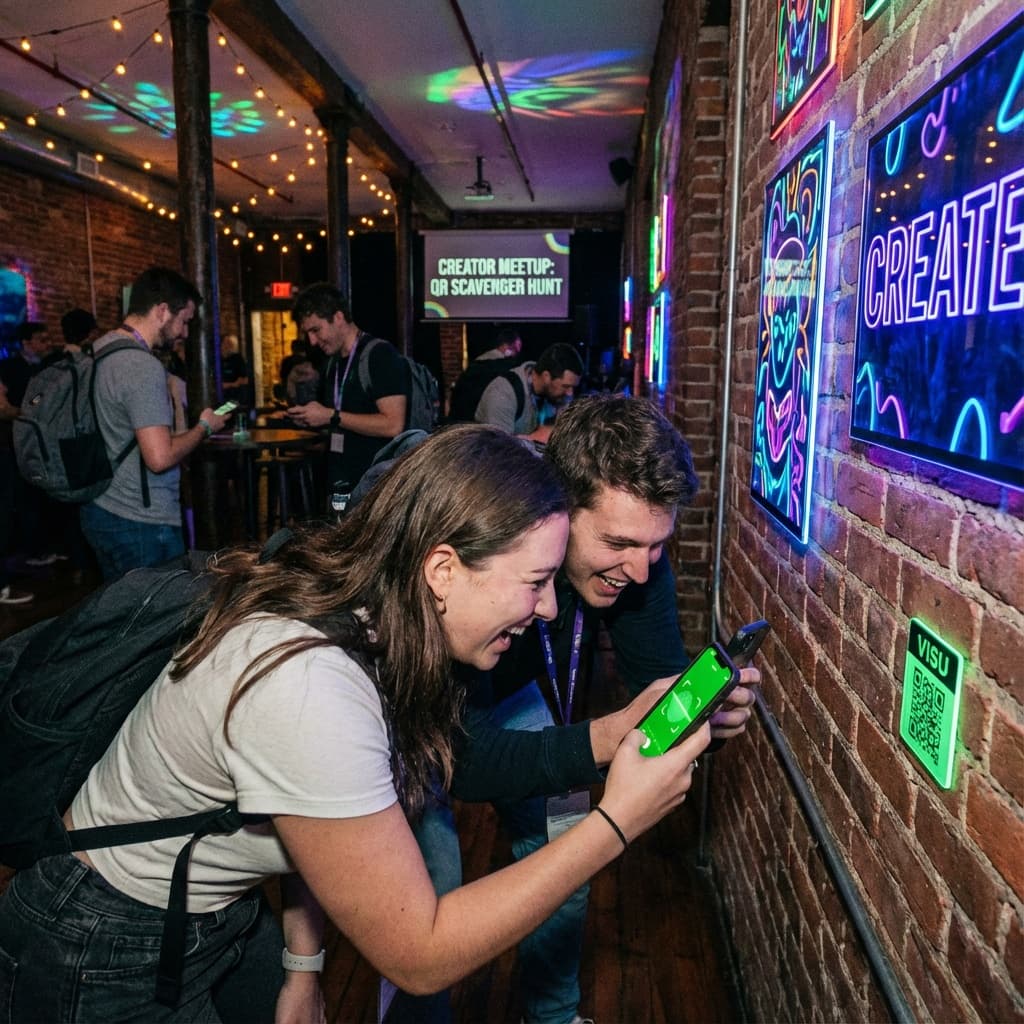
- Event posters (18 x 24 inches): Place them at entrances, near the stage and at the merch table. Headline example: "Scan to Earn While You Are Here".
- Table tents (4 x 6 inches): Perfect for coffee tables, bar counters and registration desks. These capture idle time while people are waiting.
- Stickers (around 3 x 3 inches): Stick them on equipment, laptops, water bottles and freebies. They keep working even when the event ends.
Technical Guide: Printing QR Codes That Actually Scan
A beautiful design is useless if phones cannot read the code. Offline QR campaigns must respect basic rules of resolution, material and spacing.
1. Resolution and File Formats
Follow these principles when exporting your codes:
- Never export from a screenshot of a small preview.
- For digital screens, export a PNG with at least 1000 x 1000 pixels.
- For print, ask for SVG or EPS so printers can scale cleanly to any size.
- Use 300 DPI or higher as a printing standard to keep the edges sharp.
2. Material Selection
The surface where you place the code affects reflection, durability and scan speed.
| Location | Recommended Material | Why |
|---|---|---|
| Outdoor walls and doors | Vinyl with weatherproof lamination | Resists rain, sun and tearing for months. |
| Indoor photo zones | Matte finish cardstock | Reduces reflection from flashes or spotlights. |
| Merch and apparel | Screen print or high quality heat transfer | Survives washing and daily friction. |
3. The Quiet Zone Rule
Every QR code needs a margin of clean space around it so the scanner can detect the boundaries. This is called the quiet zone.
- Keep at least 4 millimeters of white or solid background around the code.
- Do not place text or icons inside this safe margin.
- Avoid placing codes over highly textured backgrounds like bricks or patterns.
As a simple check, print your design on a home printer before ordering a full batch. Test with several phones at different distances and angles. If they scan instantly, you are good to go.
Partnership Scripts: How to Get Your QR Codes Into Stores
Offline scale does not need to depend only on your own events. You can put your creator QR inside places that already have daily foot traffic: coffee shops, gyms, salons, coworking spaces, restaurants and local stores.
The key is to show owners how your QR brings value to them, not only to you.
Script 1: Cross Promotion Pitch for Coffee Shops
Context: You are a creator who often works from a specific cafe.
Script:
"Hey [Manager Name], I create content for [X] local followers who love discovering new work spots.
I am putting together a guide with my favorite cafes and I want to feature this place.
There is a tool I use called VISU that lets my followers earn rewards when they scan a QR code
at partner locations. If we place a small table tent near the register with my creator QR, I can
send followers here, they earn rewards for visiting, and you get more repeat customers.
There is no cost for you. Would you be open to a quick test for a month?"
Script 2: Value Add Pitch for Gyms and Studios
Context: You are a fitness creator or wellness coach.
Script:
"Hi [Owner Name], my community is around 5,000 people who are trying to stay consistent with training.
I want to reward them for actually coming to the gym instead of just watching videos at home.
VISU lets them earn small rewards every time they scan in at certain places.
If we put a QR sticker at your front desk as an official check in point, I will run a challenge
where this gym is the main location. You get members who are more engaged and I send my audience here.
Can we test one month with a simple 'scan when you arrive' sign?"
Gamification Blueprints: 3 QR Contests to Run
Humans love games. Instead of just saying "scan my code", turn the whole experience into a mission. VISU already thinks in terms of missions and rewards, so you can layer these ideas on top.
1. The Golden Ticket Scavenger Hunt
Setup: Hide five different VISU QR codes around your event space.
Rules:
"Find and scan all five codes during the event. Each code gives you points.
If you complete the full set, you unlock a secret word on the last screen.
Send that word to me in a DM and you are automatically entered to win a limited
merch pack or a one to one call."
Why it works: People explore the venue, take photos and talk to each other while searching.
2. The Flash Raffle
Setup: Show a huge QR code on a screen for one or two minutes.
Rules:
"You have 60 seconds to scan this code. Everyone who scans it right now is entered
into a draw for $100 in rewards or a special prize. Ready? Go."
Why it works: Urgency plus group energy. People see others raising their phones and act fast.
3. The Streak Starter
Setup: Put a QR code on product packaging, flyers or challenge cards.
Rules:
"Scan this code seven days in a row to unlock a 50 percent off coupon or a bonus mission.
Missing a day resets your streak."
Why it works: Streaks build habit. People begin to see interacting with your brand as part of their routine.
Creator Tip: Show Your Own Earnings
When you promote VISU in person, open your own app and show real numbers. A simple line like "these little QR codes pay my rent now" followed by a quick dashboard screen makes scanning feel like an obvious move instead of a favor.
Event Specific QR Strategies
Different formats need different placements and scripts. Here is how to adapt your approach to common creator scenarios.
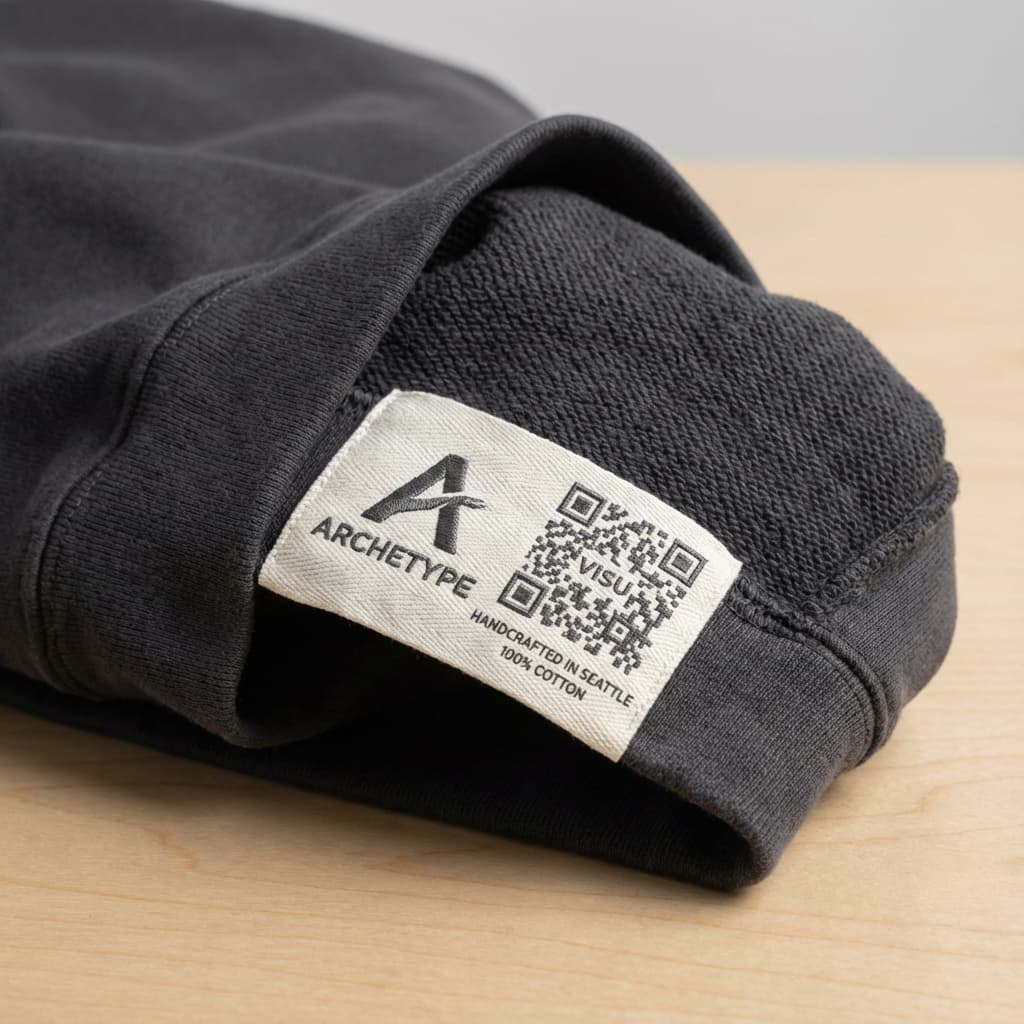
Strategy 1: Creator Meetups and Fan Events
Context: Informal gatherings from 20 to 200 fans.
Main tactic: The entrance exit sandwich.
- Entrance: Big poster with your QR and a line such as "Scan to join today's rewards and giveaways". This captures people while they are fresh and curious.
- Photo backdrop: Put a QR code into your backdrop design. When people take photos, they and their friends see the code repeatedly.
- Mid event announcement: At some point say: "Take ten seconds to scan the code on screen if you want to keep earning after today". Then pause and actually wait while they do it.
Strategy 2: Workshops and Educational Events
Context: Fitness classes, business seminars, creative bootcamps, masterclasses.
These audiences are in a learning mindset. They are ready to take action if the reward and instructions are clear.
- Place a QR code on the first slide and on the cover of your workbook or PDF.
- Present it not as "my referral link", but as a bonus resource: "Scan here to get the toolkit and start earning points for completing exercises".
- At the end, remind them that continuing on VISU is how they keep their momentum and stay accountable.
Strategy 3: Pop Up Shops and Booths
Context: Markets, fairs, conventions and festival booths.
- Put one QR at the front of the booth to catch passersby who are just looking.
- Put another QR inside every bag or on receipts with a message like "Scan to earn part of your purchase back".
- Train staff to mention it quickly: "Your bag has a code inside. Scan it later, it pays you back a little every time you use VISU".
QR Code Design and Activation Psychology
When someone sees a QR code, they quickly ask themselves: What is this? Is it safe? What do I get? Your visual design needs to answer all three questions in about two seconds.
Design Principle 1: The Five Foot Rule
If your code is on a wall poster, it should be scannable from at least five feet away.
- For posters, aim for at least 4 x 4 inches of QR area.
- For handouts, 2 x 2 inches is usually enough if people hold them close.
- Always test from the distances people will actually stand or sit.
Design Principle 2: Benefit Driven Messaging
A bare "Scan me" line is a command without a reason. Replace it with a clear benefit.
- Weak: "Scan to follow".
- Better: "Scan to join my rewards club".
- Best: "Instant $5 bonus inside. Scan now".
Design Principle 3: Trust Signals
People know that malicious QR codes exist. To build trust, add:
- Your creator photo or logo in the center of the code.
- A small line such as "Official link from [Creator Name]".
- Your social handle or brand name under the code.
Activation Tip: Use Verbal Prompts
Passive signage alone usually gets 20 percent of a room to scan. When you combine it with a direct verbal call, scan rates often jump above 70 or 80 percent. Say it with energy, pause and let people do it: "Take your phones out, point at the code, it will give you free rewards. I will wait."
Measurement and ROI Tracking
Phygital campaigns should be just as measurable as digital ones. VISU makes this easier by connecting scans, sign ups, earnings and creator commissions into one dashboard.
Metric 1: Scan Rate
(Total Scans / Event Attendance) × 100
As a baseline:
- Below 30 percent: placement or messaging needs work.
- Between 40 and 60 percent: healthy, especially for first tests.
- Above 70 percent: you are combining strong visuals with good prompts.
Metric 2: Revenue Per Attendee (RPA)
RPA shows how much monthly passive income each person in the room represents.
| Event Type | Optimization Level | Revenue Per Attendee (Monthly) |
|---|---|---|
| Meetup | Basic signage only | $0.50 - $1.00 |
| Workshop | Good (visuals plus verbal prompts) | $2.50 - $4.00 |
| Conference | Full phygital strategy | $4.00 - $6.00+ |
Example: a 100 person event with an RPA of $4.00 adds around $400 per month in long term passive income. That is $4,800 per year from one evening.
Real Creator Case Studies
These are simplified examples to show how the math and mechanics can work when creators actually commit to using QR codes consistently.
Case Study 1: Fitness Micro Influencer
Profile: 12,000 followers on Instagram.
Niche: Home workout and outdoor training.
- Hosted six outdoor group workouts, 50 people per event.
- Used entrance posters plus mid event calls to action.
- Scan rate averaged 70 percent, around 210 scans across events.
- Roughly half of scanners became active VISU users over time.
If 104 of those users reach around $90 per month in VISU earnings, a 10 percent creator share equals about $936 per month. That is recurring, not one time. The workouts themselves may break even or generate small direct revenue, but the QR funnel turns them into a serious asset.
Case Study 2: Food Vlogger
Profile: 45,000 subscribers on YouTube.
Niche: Local restaurant reviews and budget food guides.
- Made deals with five restaurants to place a "Visu Approved" sticker on tables.
- Promised to feature those spots in videos and Shorts as part of a series.
- Each location drove a steady trickle of new scans every week.
If each restaurant generates eight new active users per month, that is 40 new actives each month, compounding. After twelve months, more than 400 users may have come from those stickers alone. At an average earning rate, this can easily reach five figures in annual passive creator income on top of ad revenue and sponsorships.
Scaling: From Events to Permanent Presence
Events are spikes. To build a system, you want QR codes in places that keep working even when you are not there. Think of it as phygital real estate.
1. Location Partnerships
Look for spaces where your ideal fans already spend time: gyms, salons, coworking spaces, gaming lounges, cafes, independent shops. Your pitch is simple:
- You bring a new layer of rewards and fun for their customers through VISU.
- They host your QR so your community knows where to go.
- You both benefit from the extra foot traffic and engagement.
2. Merchandise Integration
Every piece of merch can be a referral engine if you add a visible, scannable code.
- On hoodie sleeves or chest prints with a short text like "Scan to join the rewards club".
- On stickers and keychains that go into every order.
- On hang tags attached to clothes or accessories.
Common Mistakes to Avoid
- ❌ QR too small: If people have to move their phone around and try multiple times, they will give up. Always test in real conditions.
- ❌ No clear benefit: A lonely code with "scan me" does not answer "why". Always lead with what they get.
- ❌ Dead end destinations: Sending people to a generic homepage with no context. Use a simple, focused landing that explains VISU and your creator role.
Your 90 Day Implementation Roadmap
| Phase | Action | Target Outcome |
|---|---|---|
| Month 1 | Generate your dynamic creator QR, design one poster and one table tent, test at a small meetup or local event. | First 20 to 50 scans, first active users and real data in your dashboard. |
| Month 2 | Improve copy, add verbal prompts, integrate QR into at least one partner location such as a cafe or gym. | Reach 100+ total scans and stable monthly earnings from referred users. |
| Month 3 | Run a simple contest, secure two or more location partnerships, add QR codes to your next merch batch or packaging. | Move toward $500 - $1,000 per month in predictable passive income from offline funnels. |
| Year 1 | Keep stacking events, locations and merch touchpoints. | Potential to reach $10,000 - $20,000+ in annual passive income. |
Your Next Event Is a Goldmine
Stop leaving money on the table. Generate your Creator QR Code today and turn every offline interaction into the start of a recurring revenue stream for you and your fans.Frequently Asked Questions
Do I need to reprint codes if I change the link?
No. If you use VISU Dynamic QR Codes, you can update the destination URL at any time from your dashboard. The printed code stays the same and keeps working, even if you change the landing page from a signup flow to a contest or a new smart link.
How do I track which event or location performed best?
Use UTM parameters to create slightly different links for each event or partner location, then generate a QR for each one. Inside the VISU Creator Dashboard you will see scans, sign ups and earnings broken down by campaign, so you know where to focus next.
Can I put QR codes on sold merchandise?
Yes, and you should. Integrating QR codes into hoodies, shirts, packaging inserts and stickers is one of the easiest ways to build a long term referral engine. Every time someone asks "what is that code on your sleeve", your fan can say "scan it, it lets you earn with my creator link".
Is there a cost to generate creator QR codes?
No. Generating branded, dynamic creator QR codes and tracking their performance is included inside VISU Creator Tools. You only pay when brands fund campaigns and attention is actually rewarded.