

You just scanned a VISU QR code at a coffee shop and earned 50 points. Now you're staring at the app wondering: What do I do with these points? How does this actually work? Because your attention has real value, you deserve to understand how to maximize it.
If you're new, you're not alone. Most people get the first scan, see points move, and then ask the same question: “Okay... what’s the loop?” This guide breaks it down from Day 1 behavior to more advanced strategies.
By the end of this 15-minute read, you'll understand how VISU works from download to redemption. We’ll cover the core earning methods, how missions can change by campaign, how to think about points-to-value, and how to set realistic expectations without guessing.
Looking for more earning options? See our complete guide to apps that pay real money, or check if VISU is legit first.
Table of Contents
- The Core Concept: Phygital Rewards
- VISU Glossary: Key Terms
- Step 1: Download & Strategic Setup
- Step 2: Discovering Campaigns
- Step 3: The Scanning Process
- Step 4: Mission Types (Deep Dive)
- Points, Value & Tiers (How to Think About the Math)
- Earnings Scenarios (Realistic Expectations)
- Advanced Strategy: The “Triple Dip”
- Is It Safe? Security & Privacy
- User Profiles: Which One Are You?
- Redemption & Cash Out
- Technical Troubleshooting
- Frequently Asked Questions
The Core Concept: Understanding Phygital Rewards
VISU is not a “click-to-earn” app where you grind ads at home. It is a Phygital platform (Physical + Digital) built around a simple idea:
- brands want real-world attention and foot traffic
- a QR code is the activation point
- you engage for a moment
- you earn points for that verified engagement
Think of the QR code as “proof of attendance” and proof of attention. Instead of all the value staying with ad platforms, the reward is shared with the user who is actually present.
This model is part of a broader shift in loyalty and attention economics. For more context, see our deep dive on earning money from your attention.
VISU Glossary: Terms You Need to Know
To navigate the app like a pro, you need to understand the vocabulary. These are the terms you’ll see most often:
- Campaign: A specific promotion run by a brand or location. Rules can differ from campaign to campaign.
- Mission: The task required to earn points inside a campaign (scan, complete steps, verify an action, etc.).
- Drop: A limited-time or limited-quantity bonus reward release (when available).
- Cooldown: A waiting period before repeating the same action again. Timing can vary by campaign.
- Streak: Consistent activity over time. Some systems reward consistency (when enabled).
- Geo-Fence: A GPS perimeter used to validate presence at a location.
- Phygital: The blend of physical presence + digital rewards.
Step 1: Download & Strategic Setup
Download Process: VISU is available on iOS and Android. You can create an account and start scanning without a subscription. Specific earning features may depend on your region and active campaigns.
Critical Permissions Explained
VISU needs a few permissions to work properly. If you deny them, scans may fail or the scanner may not activate.
1) Location (While Using)
Used for validating presence and reducing abuse. In most cases, VISU only needs location while you’re actively using the app and scanning.
2) Camera Access
Required to scan QR codes inside the app.
3) Notifications (Recommended)
Useful for time-sensitive campaigns, bonus windows, and updates. If you disable notifications, you can still earn, but you might miss limited-time opportunities.
4) App Tracking (iOS) (Optional)
This does not typically affect your core earning ability. It may help with personalization depending on how campaigns are structured.
Step 2: Discovering Campaigns (The Map Strategy)
The default screen is usually the Discovery Map. This is your command center for finding where scans are available.
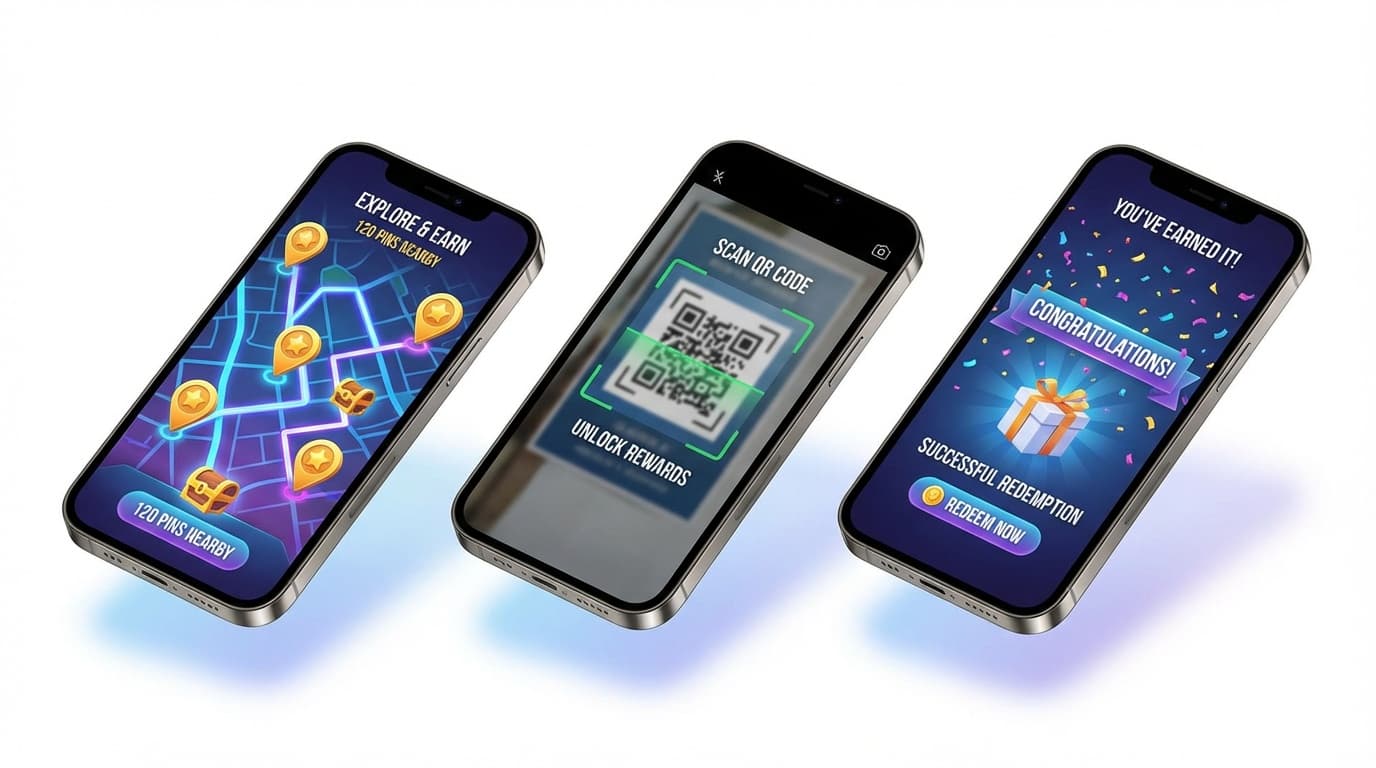
Decoding the Pins (Without Overthinking It)
Some apps display different pin types or badges to help you prioritize. The exact colors and meaning can vary by version and campaign, but the principle is consistent:
- higher value / limited-time opportunities should be prioritized first
- everyday locations are best for building consistency
- events can concentrate multiple scans in one area
Step 3: The Scanning Process
You’ve arrived. Here is what a successful scan typically looks like:
1) Locate the Code
Common placements include table tents, register counters, window stickers, posters, and event signage.
2) Launch the In-App Scanner
Use the scanner inside VISU, not a generic QR reader. That’s how the scan gets attached to the correct campaign flow.
3) Verification
The app verifies the code and applies campaign rules. This can include presence validation (geo-fence), repeat limits, and timing rules.
4) Experience → Points
After you complete the experience, points are added to your balance. Some campaigns may show points as pending briefly before moving to available.
Step 4: Mission Types (Deep Dive)
VISU is gamified. Brands want more than a passive scan, so campaigns can add missions. You may see some of these now, or later, depending on your region and active campaigns.
1) Instant Win
Mechanic: Scan → instant reward, sometimes with a random element.
Best For: fast wins and consistent daily activity.
Example: You scan at a partner location and immediately get a reward screen.
2) Progressive Check-In
Mechanic: “Complete X visits/scans” to unlock a bonus.
Strategy: Choose locations you already visit naturally. The best “ROI” is when this fits your routine.
3) Social Proof Missions (When Enabled)
Mechanic: Optional content actions like posting, tagging, or sharing proof of engagement.
Note: Verification methods can vary widely by campaign and platform rules.
4) Purchase-Based Missions (When Enabled)
Mechanic: Some campaigns may reward verified purchases or receipts.
Note: This is campaign-specific. Not every region or location supports it.
5) Scavenger Hunts (Events)
Mechanic: multiple scan points in one venue or area.
Best For: festivals, conferences, pop-ups, grand openings.
6) Referral Missions
Mechanic: Invite friends using your link/QR. Some systems reward referrals after real activity (not just signups) to reduce spam.
Want to maximize missions without guessing? Check our guide on earning benefits through VISU missions.
Points, Value & Tiers (How to Think About the Math)
The biggest beginner mistake is treating points like a fixed currency rate forever. In real reward systems, value can change based on:
- the reward type (gift card vs voucher vs partner perks)
- the campaign source (everyday scan vs limited-time drop)
- your account status (if tiers or multipliers are enabled)
- region and availability
Simple rule: the “real conversion” is whatever the marketplace shows for you at that moment. Always compare offers inside the store.
If you see a reference like “100 points ≈ $1”, treat it as a rough mental model, not a guaranteed exchange rate across all rewards.

For a deeper breakdown of expectations and how rewards compare, see our VISU review.
Tier Multipliers (When Available)
Some reward systems include tiers that unlock small boosts and perks. If your version of VISU includes tiers, the concept is simple: you earn a little more value per action once you level up.
| Tier Name | Requirement | Multiplier | Perk |
|---|---|---|---|
| Starter | 0 pts | 1.0x | Standard access |
| Regular | 500 pts | 1.1x | Earlier access to limited campaigns (when used) |
| VIP | 2,500 pts | 1.25x | Higher-value opportunities (campaign-dependent) |
| Elite | 10,000 pts | 1.5x | Additional perks (campaign-dependent) |
Multiplier example: If you scan a 100-point opportunity and your tier gives 1.25x, you might receive ~125 points for the same scan (when that multiplier is active).
Earnings Scenarios (Realistic Expectations)
Instead of promising a fixed monthly number, here is the honest framework: earnings depend on (1) campaign density near you, (2) your consistency, and (3) whether you use referrals and events intelligently.
Below is an illustrative scenario showing how earnings can scale as your behavior changes. Your numbers may be higher or lower depending on what’s active in your city.
| Month | Focus | Scans | Points Earned | Illustrative Value |
|---|---|---|---|---|
| Month 1 | Random scanning | ~40 | ~900 pts | Small but noticeable |
| Month 2 | Targeted routes | ~60 | ~2,300 pts | More consistent value |
| Month 3 | Events + missions | ~80 | ~4,000 pts | Big jumps on event days |
| Month 4 | Referrals + consistency | ~50 | ~5,000 pts | More leverage, less effort |
| AVERAGE | Hybrid strategy | ~60 | ~3,000 pts | Depends on store offers |
The “Power User” path: people who earn the most usually are not scanning more every day forever. They build leverage by (1) attending local events when available and (2) referring real users who actually participate.
Advanced Strategy: The “Triple Dip”
Most beginners use VISU in isolation. Optimizers stack rewards on top of rewards.
Scenario: you buy a $5 latte.
Dip 1: Credit card rewards
Use a card that gives cash back or points.
Dip 2: Store loyalty (if the store has one)
Many coffee shops have stamp/points systems.
Dip 3: VISU scan
Scan the VISU QR while you’re already there.
The point is not to spend more. It’s to earn on what you were already doing. Want more stacking ideas? Pair it with apps that pay for store visits and cashback apps.
Is It Safe? Security & Privacy
Common question: “Is VISU tracking me all day?” In most location-based reward systems, the goal is validation, not constant tracking.
1) Geo-fencing vs always-on tracking
VISU can use location to validate presence. Typically this matters most at scan time and when viewing local opportunities.
2) Aggregated reporting
Brands usually care about totals and conversions, not personal identity. Campaign reporting tends to be aggregate: number of visits, scans, engagement rates.
3) No need to link bank credentials
Many reward platforms avoid requiring bank logins. If cash-out options exist, they’re typically handled through standard payout rails or digital rewards without exposing your bank password.
User Profiles: Which One Are You?
After watching how people use location-based reward apps, most users fall into one of these patterns:
The Student (The Grinder)
Walks a lot, has flexibility, loves food/coffee rewards. Strong on consistency.
The Shopper (Weekly Errands)
Grocery, mall, recurring routes. Great fit for routine scans and mission check-ins.
The Optimizer (Stacking + Events)
Combines stacking, limited-time campaigns, and referrals when available.
If you like mixing multiple streams, our passive income apps guide helps you build a combo that fits your lifestyle.
Redemption & Cash Out
To redeem value, open the Marketplace inside the app (availability may vary). Reward options can include:
1) Digital gift cards
Often the simplest redemption path.
2) Direct cash-out (when available)
Some regions and programs support direct payout options. These can require extra verification and may take longer.
3) Partner discounts and vouchers
Sometimes the best “math” if you already planned to buy something.
4) Other options (beta / limited regions)
Some ecosystems test additional redemption types. If you don’t see it, it’s not enabled for your account yet.
Looking for faster payout alternatives in general? Compare with apps that pay instantly to PayPal.
Technical Troubleshooting Guide
Sometimes the app won’t validate a scan. Here are the fixes that solve most issues:
Issue: “Location verification failed”
Fix: confirm location permission, turn off Wi-Fi if it’s unstable, and try mobile data. Move closer to an open area if GPS is weak.
Issue: “Camera won’t focus”
Fix: reduce glare (use your hand to shade), tap to focus, adjust distance.
Issue: “Code already scanned”
Fix: this is usually a campaign limit or cooldown. Try another nearby location or come back later.
Frequently Asked Questions
Is VISU completely free?
How long does it take to earn $50?
Do points expire?
What if I can’t find codes in my area?
Conclusion
VISU isn’t magic and it won’t replace a job. But it can reward you for what you already do in the real world: coffee runs, errands, outings, and events. The key is simple: build consistency, prioritize high-value opportunities, and use stacking when it fits your routine.
If you’re already going to coffee shops, malls, and events, you’re leaving value on the table by not scanning. Welcome to the phygital economy.